

Product Design
A shopping list that reminds you near the store
Smart Reminder
Role
UX/UI Designer & Researcher
Year
2022
Industry
Retail & Consumer Tech
Client
University Research Project (Thesis)
Services
UX/UI Design, User Research, Usability Study
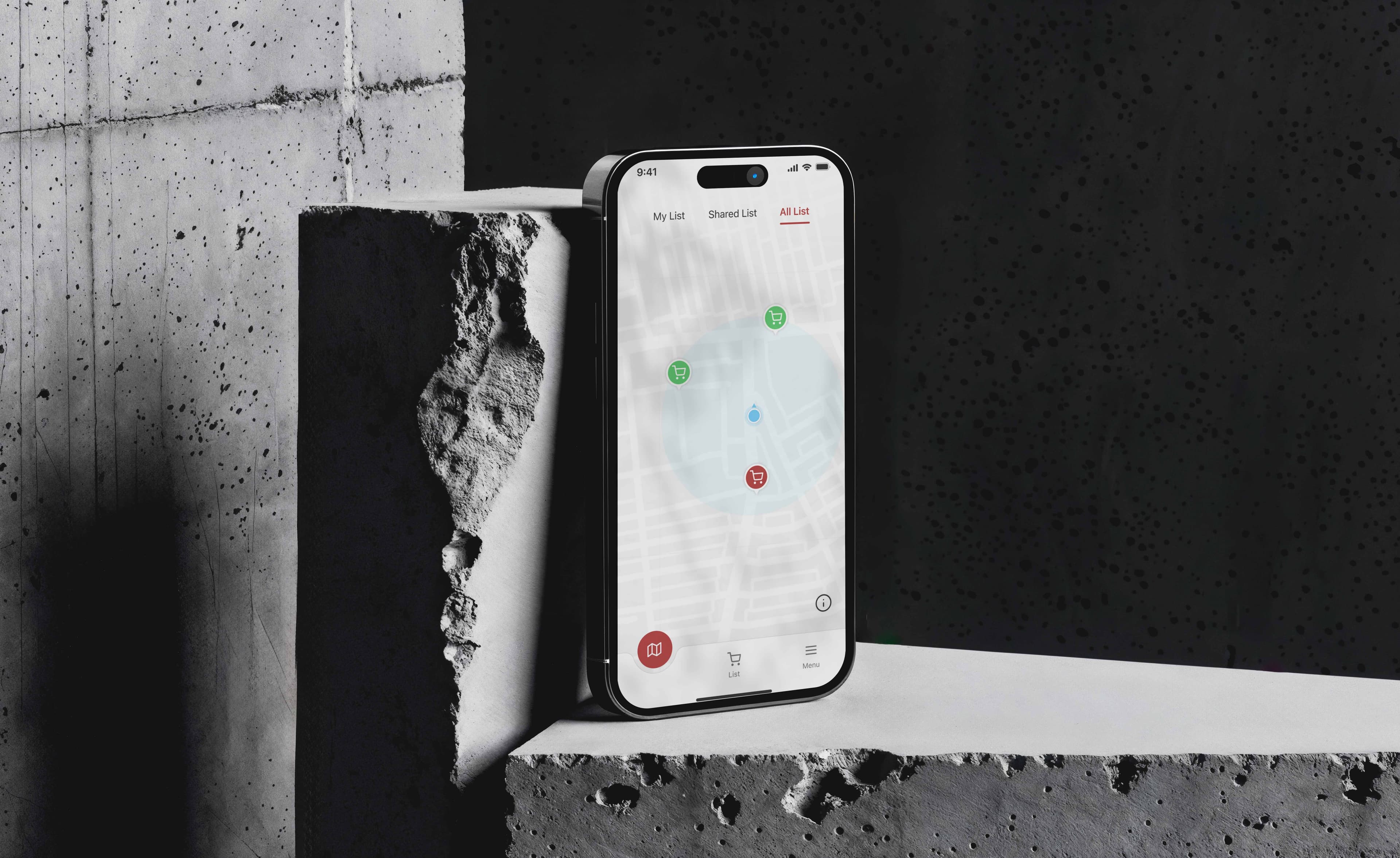
One of the most common frustrations in grocery shopping is forgetting essential items. This thesis project aimed to solve that problem by designing a location-based grocery reminder app that notifies users when they are near a store, ensuring they never miss an important purchase.
Quick Overview
A thesis project designing a GPS-powered grocery reminder app. Through 3 rounds of usability testing with 10+ participants, I iterated from paper wireframes to a polished high-fidelity prototype, resolving 7 critical UX issues along the way.
3
Usability Phases
10+
Participants
80%
Success Rate
7
Issues Resolved
Key Outcomes
Overview
The App
The app was built on a user-centric approach, considering the behaviors and pain points of busy individuals who often rely on memory or handwritten lists. This innovative solution focused on reducing cognitive load and increasing convenience, making grocery shopping a smoother, more efficient experience.
Smart Location Triggers
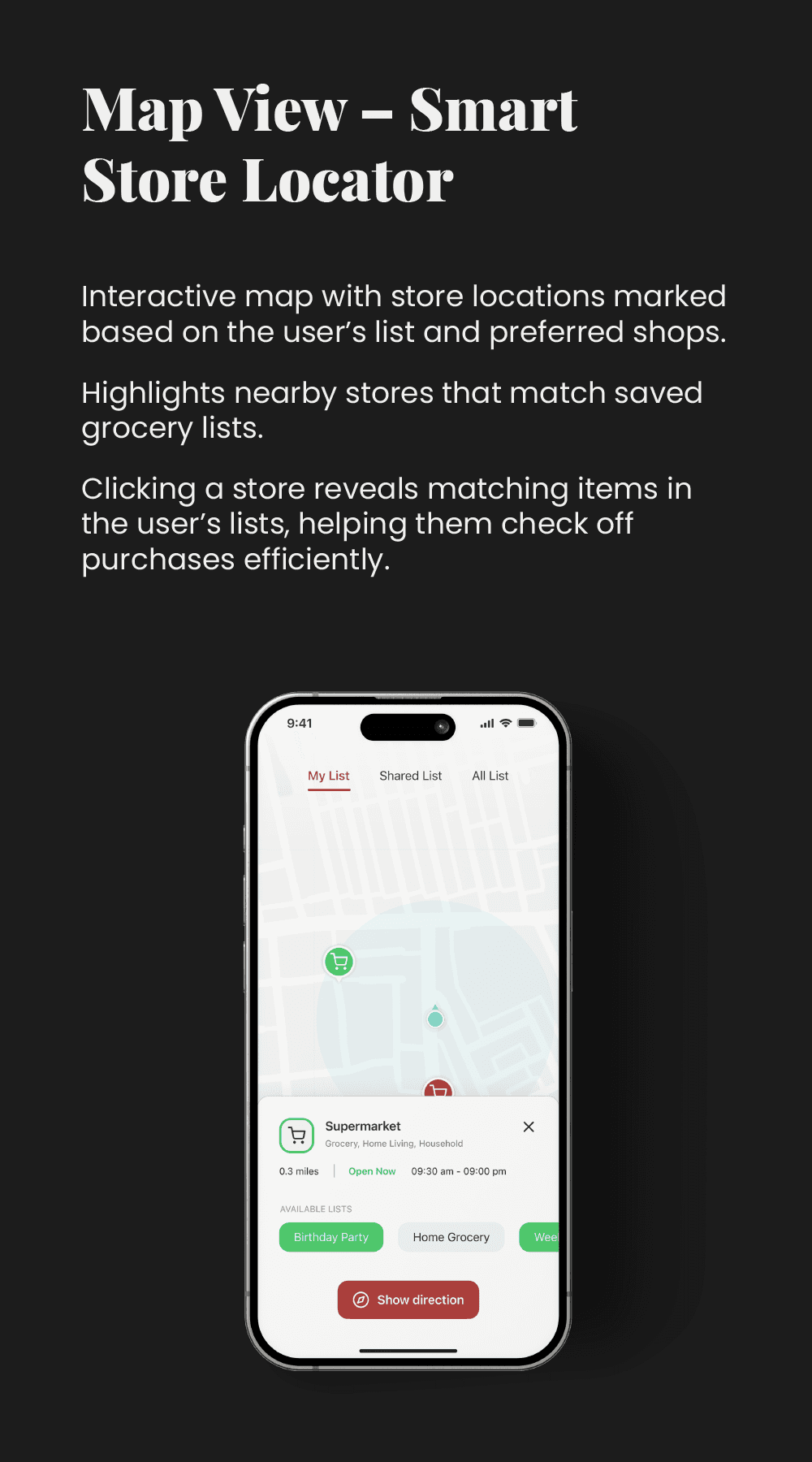
Alerts activate only when users are near a predefined store.
Customizable Lists
Users can create multiple lists based on store preferences.
Seamless UX Flow
A minimal, intuitive design for easy navigation.
Problem
Problem Statement
Grocery shopping is a recurring task for many, and consumers often forget important items while in-store. This results in frustration, wasted time, and multiple trips back to the store. The problem is compounded by busy lifestyles where shopping is done on the go. The absence of smart reminders tailored to the user's location and needs makes the experience less efficient.
Objective
Objective
The goal of this thesis project was to design a location-based grocery reminder app that seamlessly integrates with users' daily routines. This app would send timely notifications to users, reminding them of grocery items they need to buy as they approach the store. It aimed to reduce the frequency of forgotten items, save time, and streamline the grocery shopping process.
User Convenience
How can we design an app that helps users remember groceries without being intrusive?
Personalization
How can the app personalize reminders based on user preferences and past shopping behavior?
Location Awareness
How can we leverage users' locations to provide timely, context-sensitive reminders?
Research
User Research
Grocery shopping is an essential yet often repetitive task, and many users rely on various methods to manage their shopping lists. While numerous mobile apps assist with list-making, users still forget to check their lists when shopping. Existing apps use manual location-based reminders, requiring users to pre-set store locations. However, this approach does not account for spontaneous shopping trips or unplanned visits to different stores.
This case study explores how a smarter, location-based reminder system can enhance grocery shopping efficiency by notifying users when they are near any store selling their listed items, without requiring manual location input.
- 01Identify how users currently create and manage grocery lists
- 02Uncover pain points related to remembering items while shopping
- 03Evaluate the effectiveness and limitations of existing grocery list apps
- 04Explore opportunities for a more automated location-based reminder system
User Interviews
One-on-one interviews were conducted with 5 participants to understand their grocery shopping habits, challenges, and app preferences.
Online Surveys
A survey was distributed to 30+ participants, collecting data on shopping behaviors, list-making habits, and the effectiveness of reminder-based apps.
Usability Testing
Participants interacted with existing grocery list applications to observe their experiences, frustrations, and expectations for an improved solution.
Competitive Analysis
A competitive analysis was conducted on four apps: Capitan & Shopster (direct competitors: grocery-specific apps) and Google Keep & Any.do (indirect competitors: general note-taking apps with reminder functions). This helped identify gaps in the market and opportunities for improvement.
Personas
User Persona, Journey Map & Empathy Map
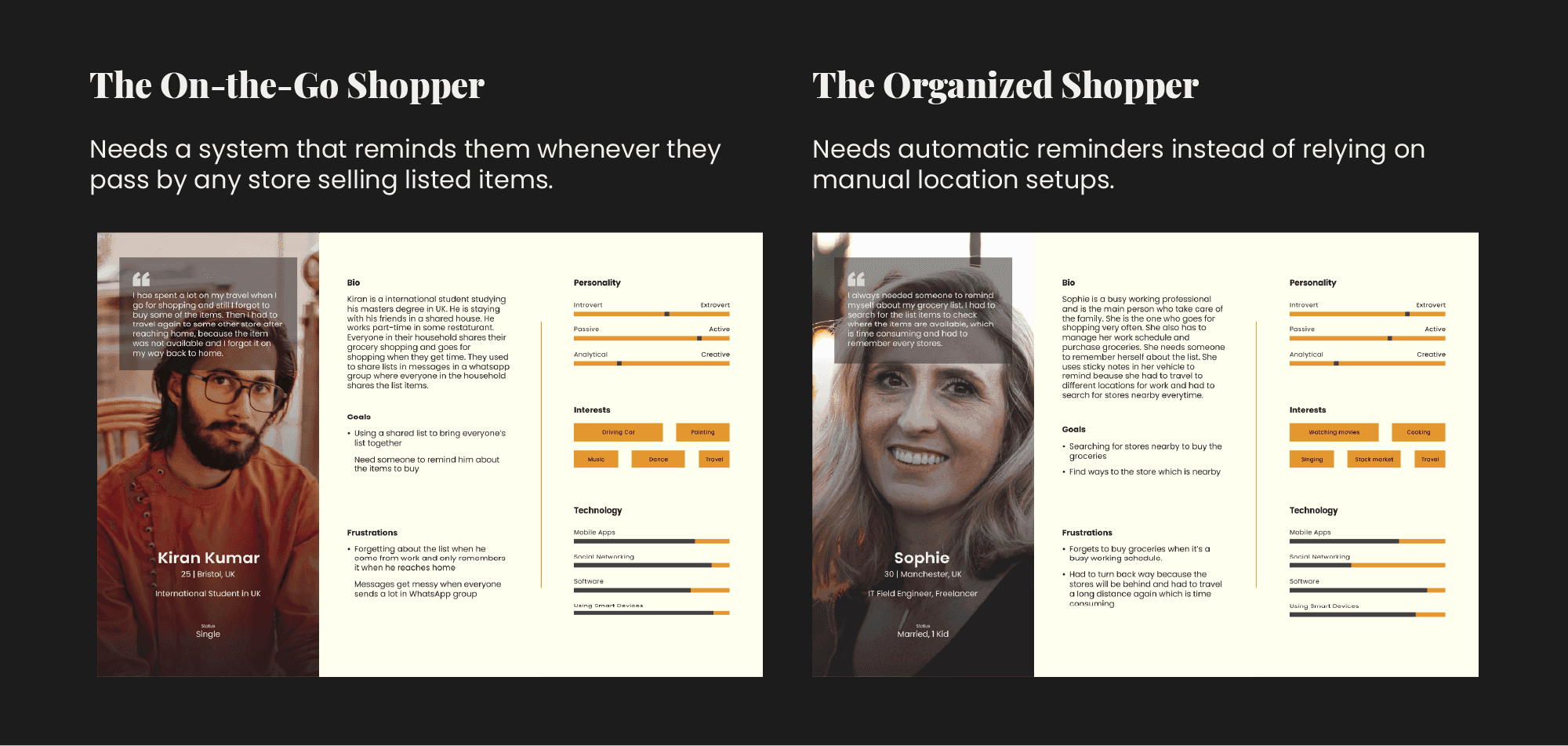
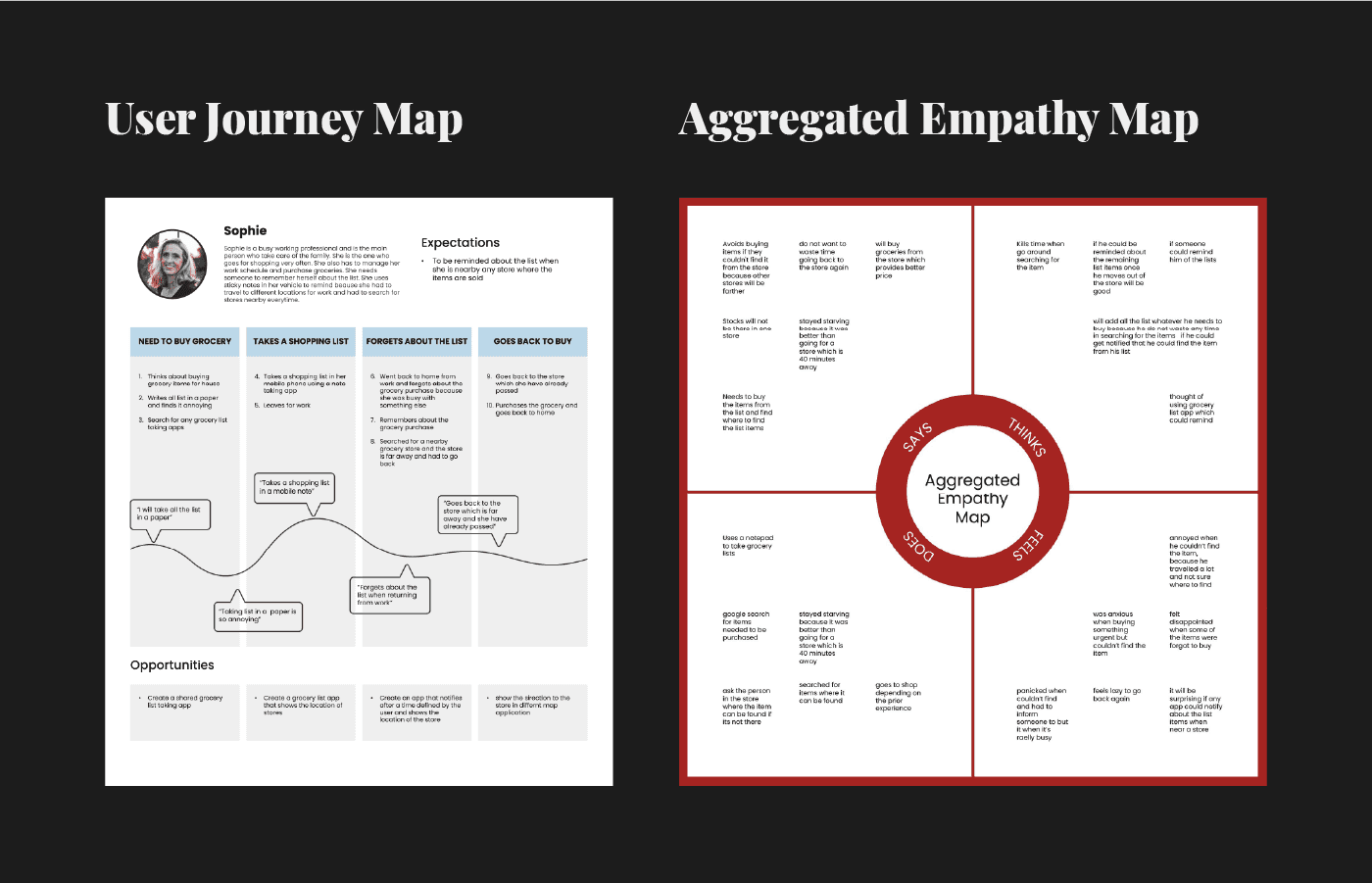
Based on the research, two primary personas were developed, 'The On-the-Go Shopper' and 'The Organized Shopper', representing the core user segments. User journey maps and an aggregated empathy map were created to visualize pain points and opportunities.
Key Findings
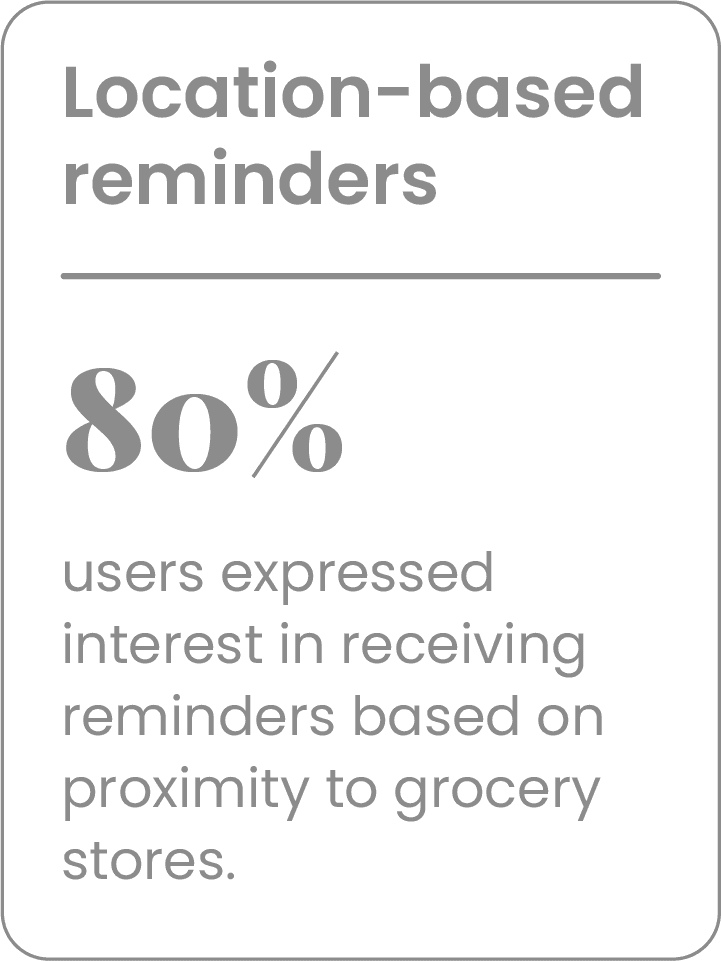
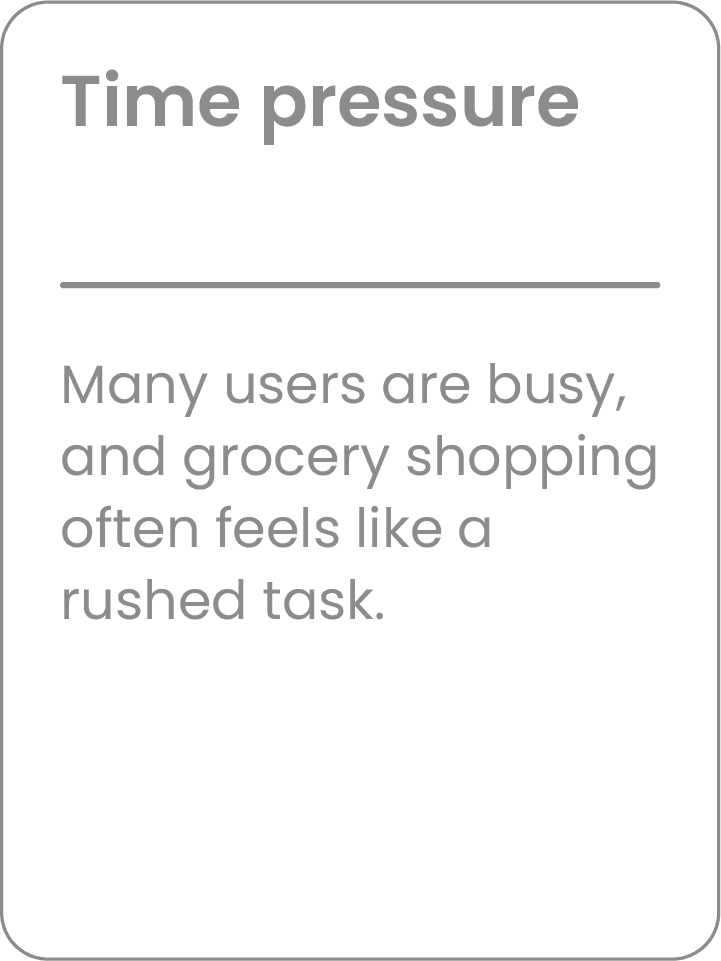
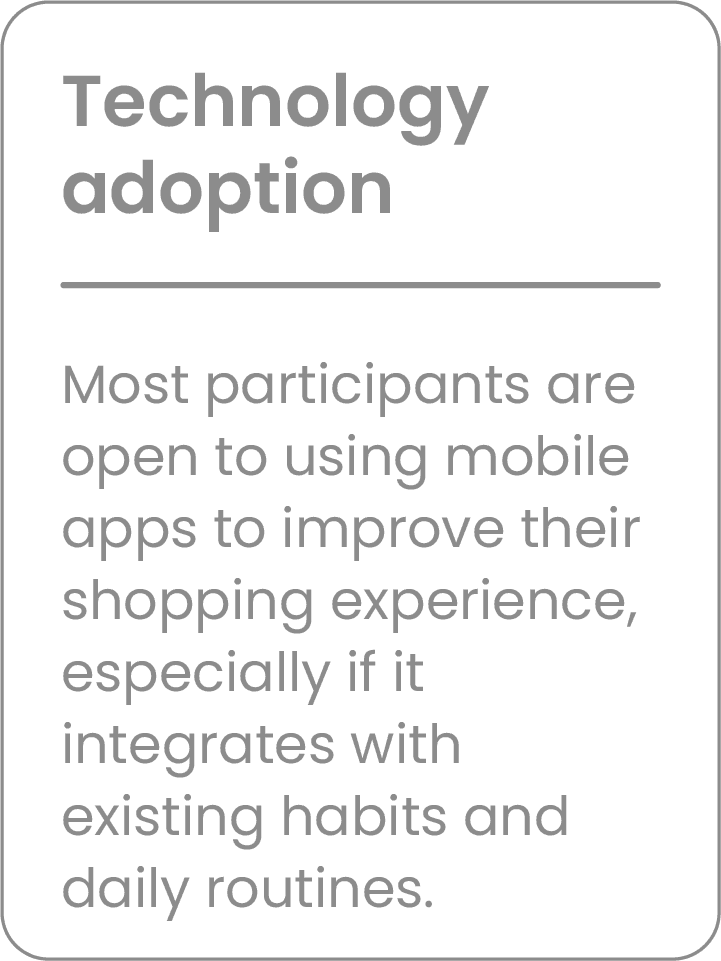
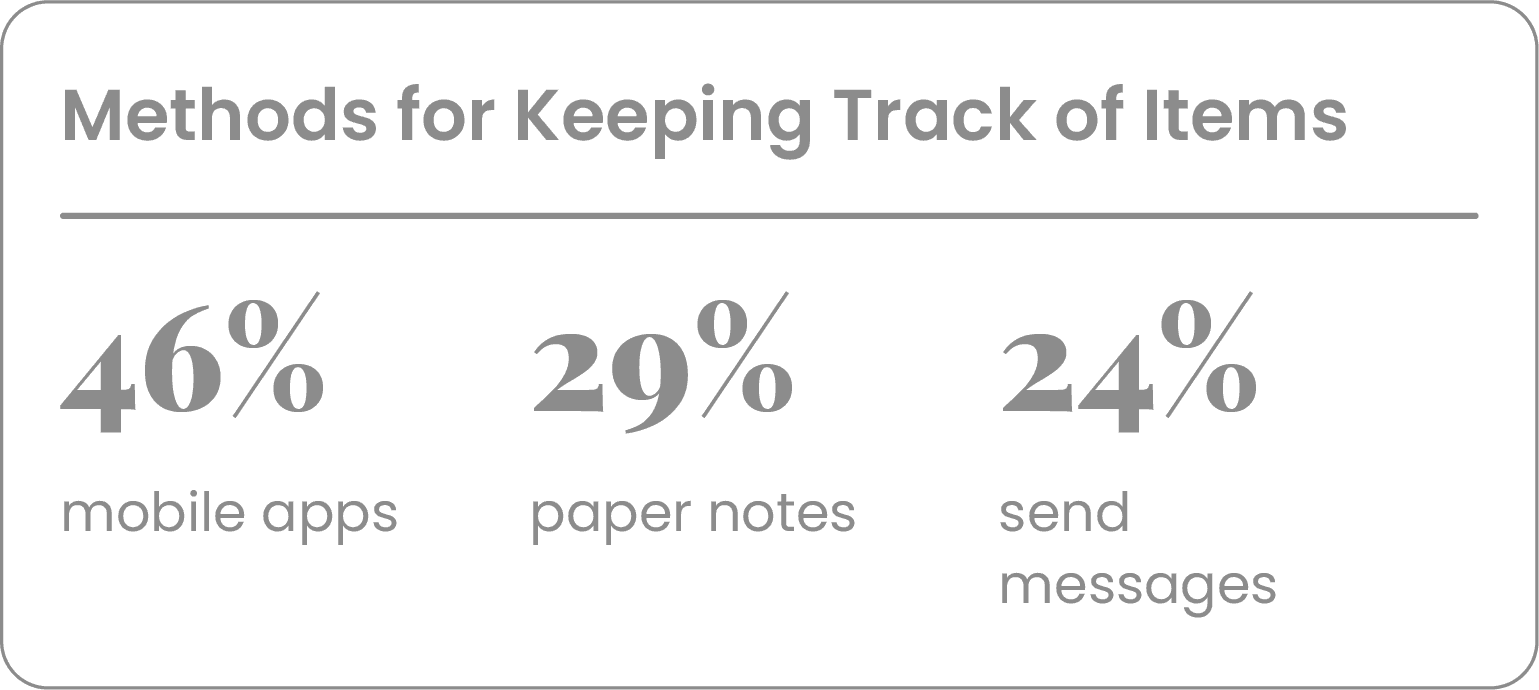
Key Findings & Insights
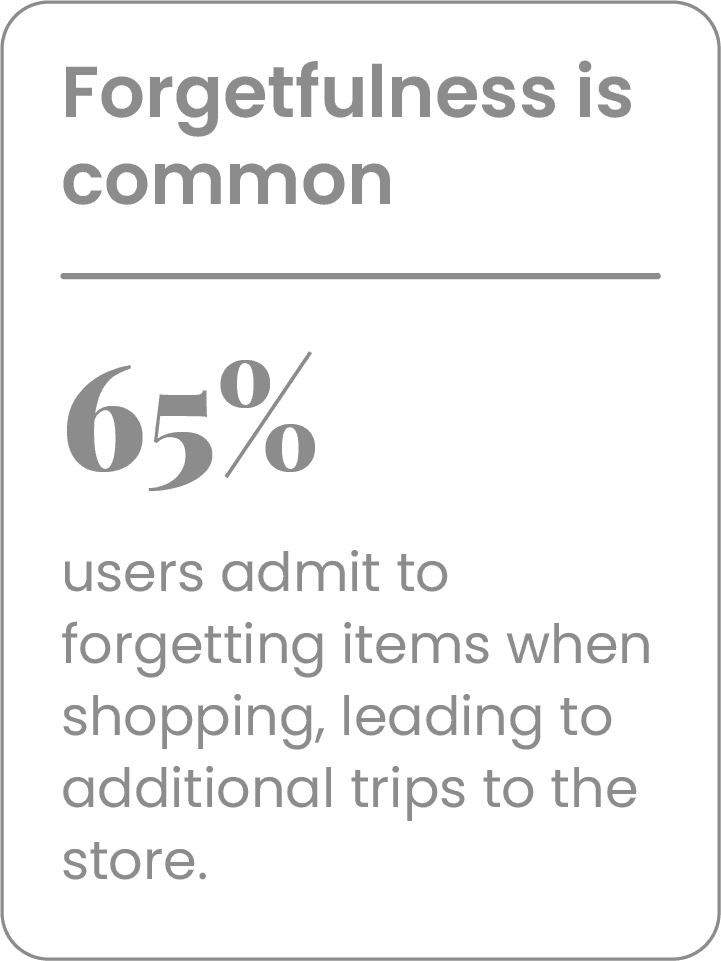
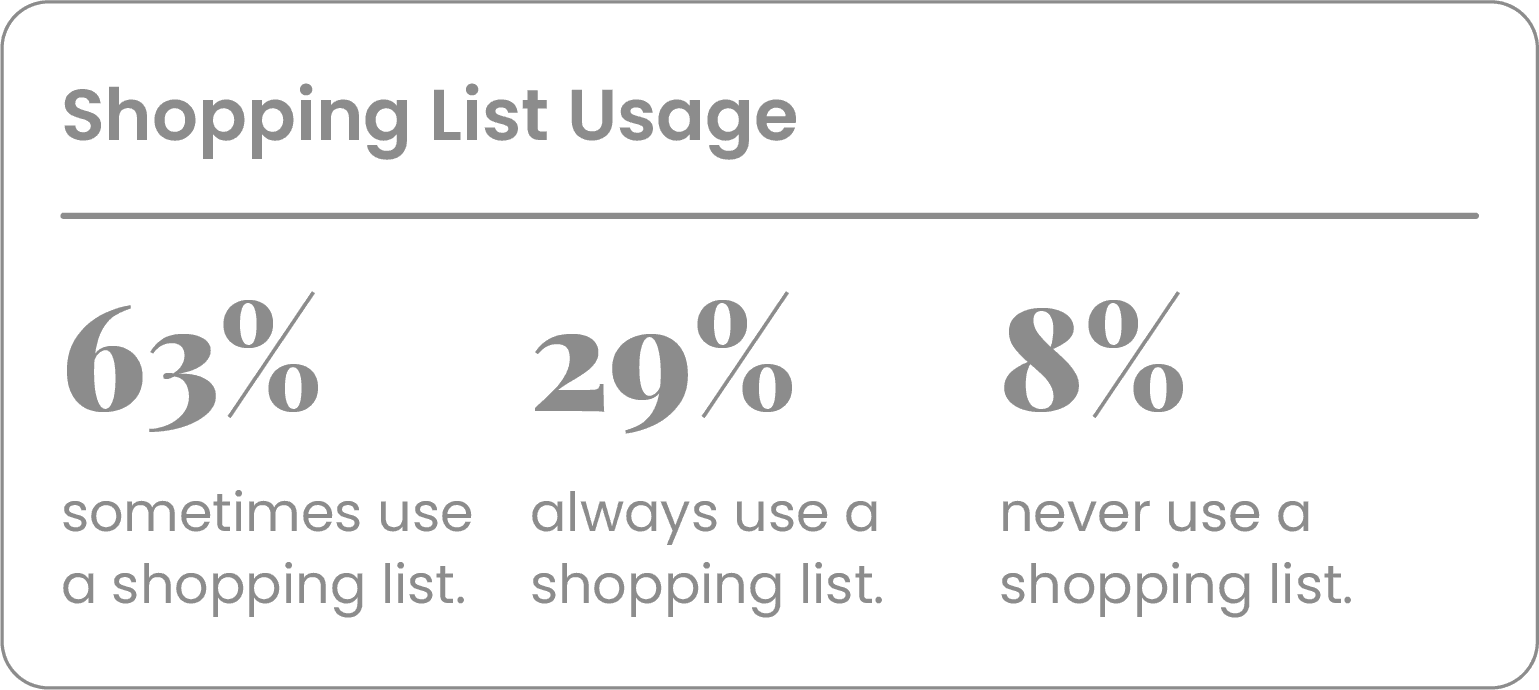
The research revealed clear patterns across participants, from shopping list habits to technology preferences.
Solution
Solution Overview
Based on the research, the Location-Based Grocery Reminder App was conceptualized. The app leverages location-based notifications, AI-driven suggestions, and collaborative shopping features to create an effortless shopping experience.
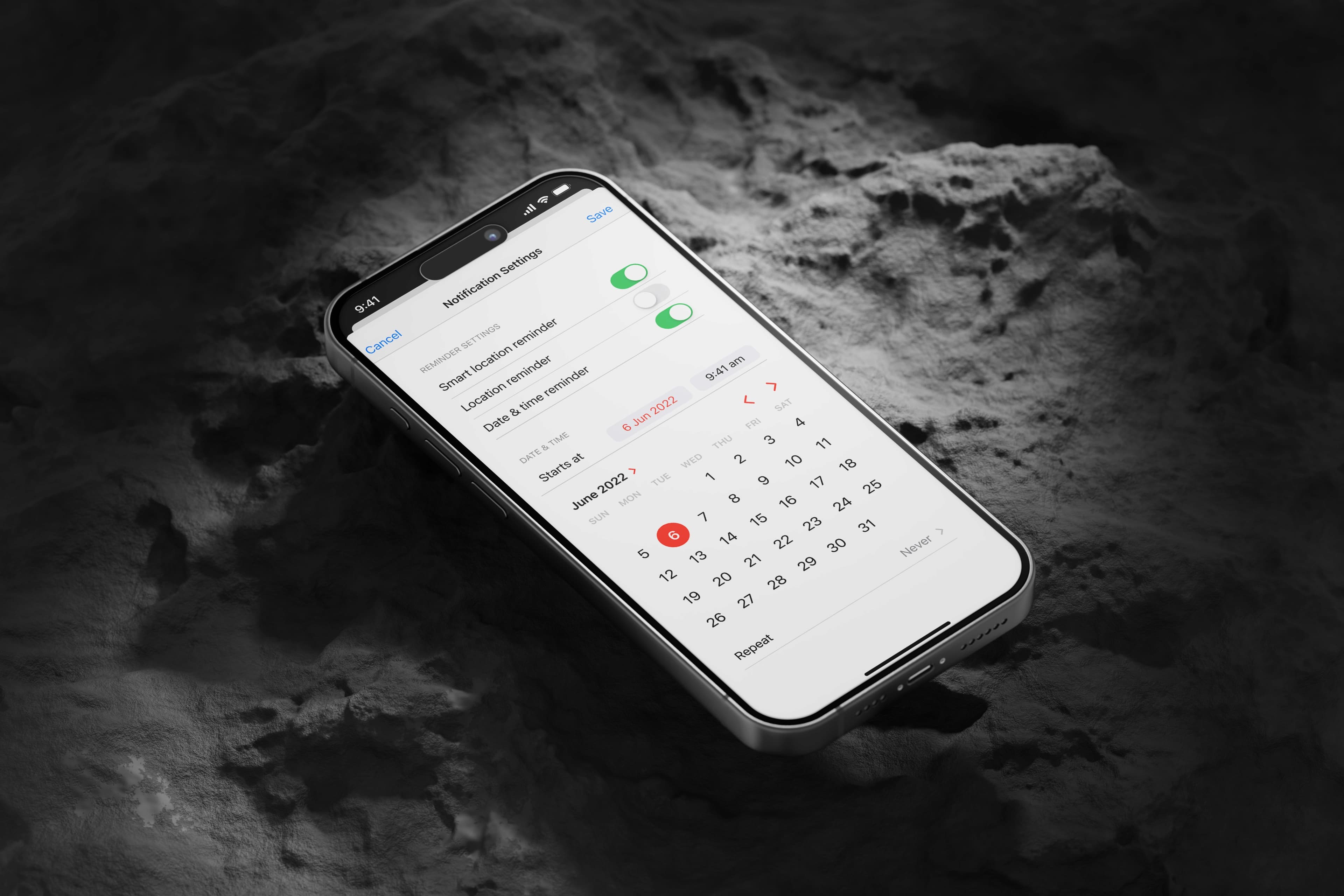
Location-Based Reminders
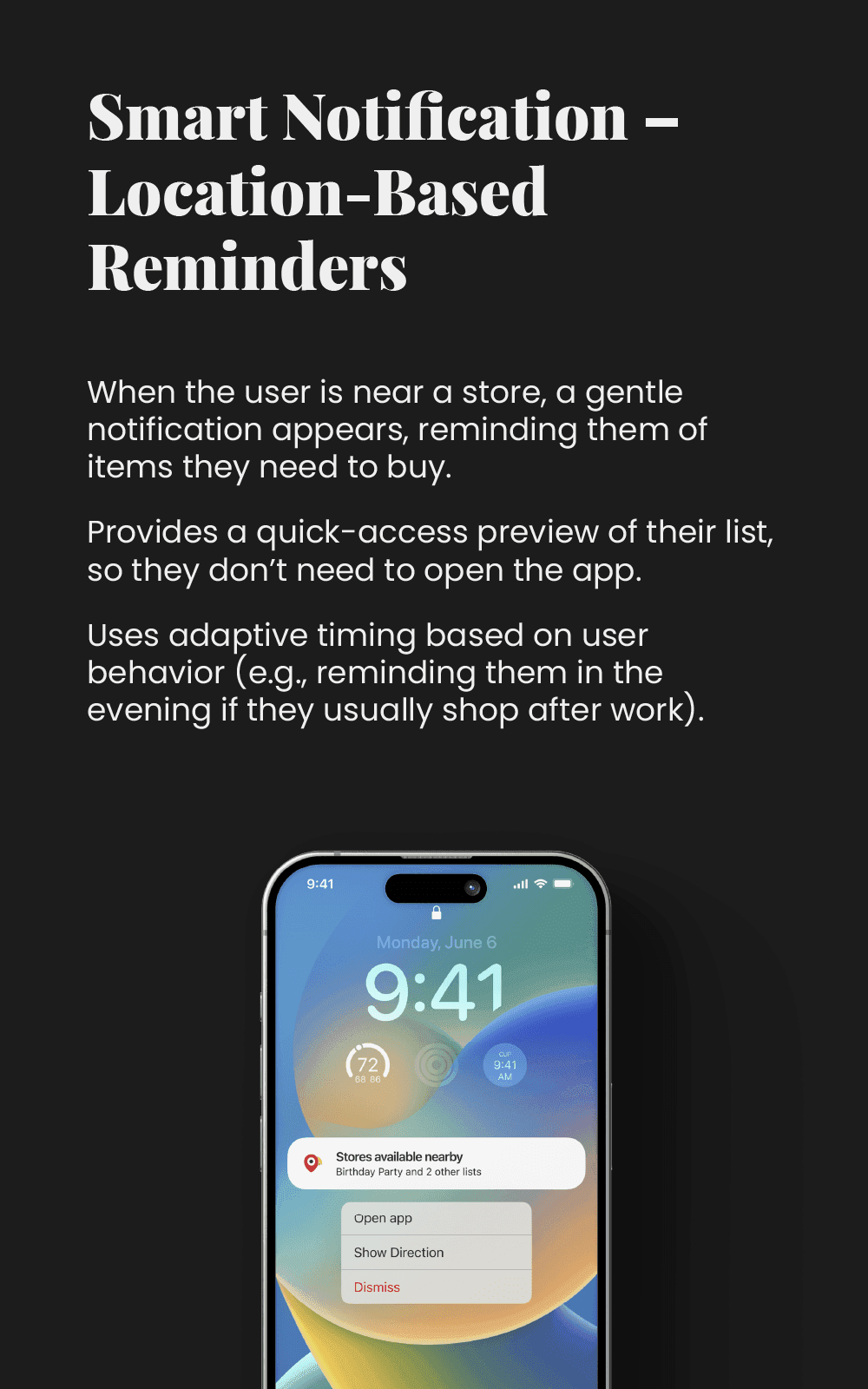
The app uses the device's GPS to send reminders when users are near a grocery store.
Personalized Shopping List
The app creates a dynamic shopping list based on past purchases and user preferences.
Store-Specific Alerts
Users receive store-specific reminders, tailored to the grocery stores they frequent.
Minimalist UI
The app's interface is designed to be minimalist and intuitive, reducing the need for extensive user input.
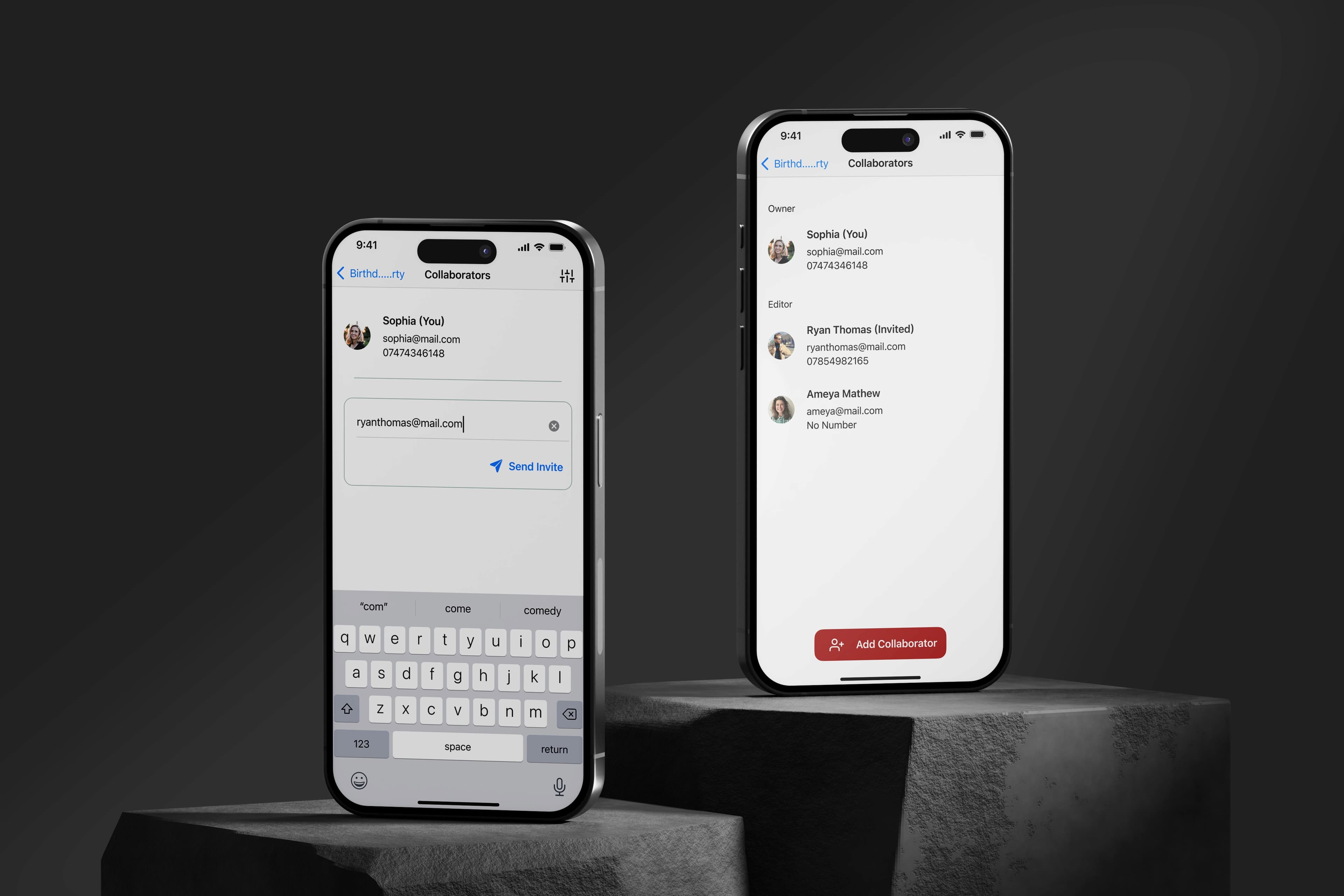
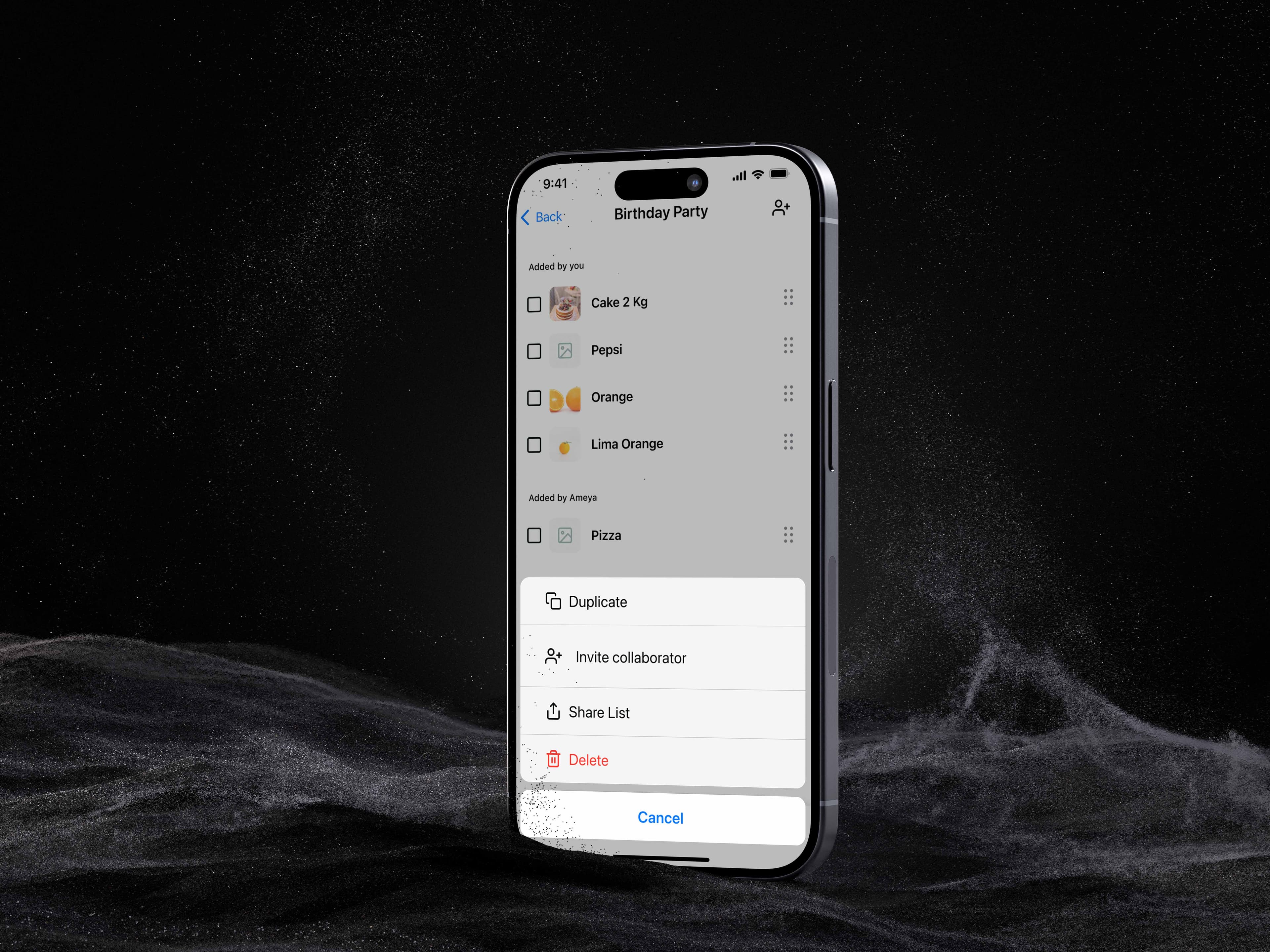
Collaborative Lists
Users can invite others to contribute to shared shopping lists.
Smart Suggestions
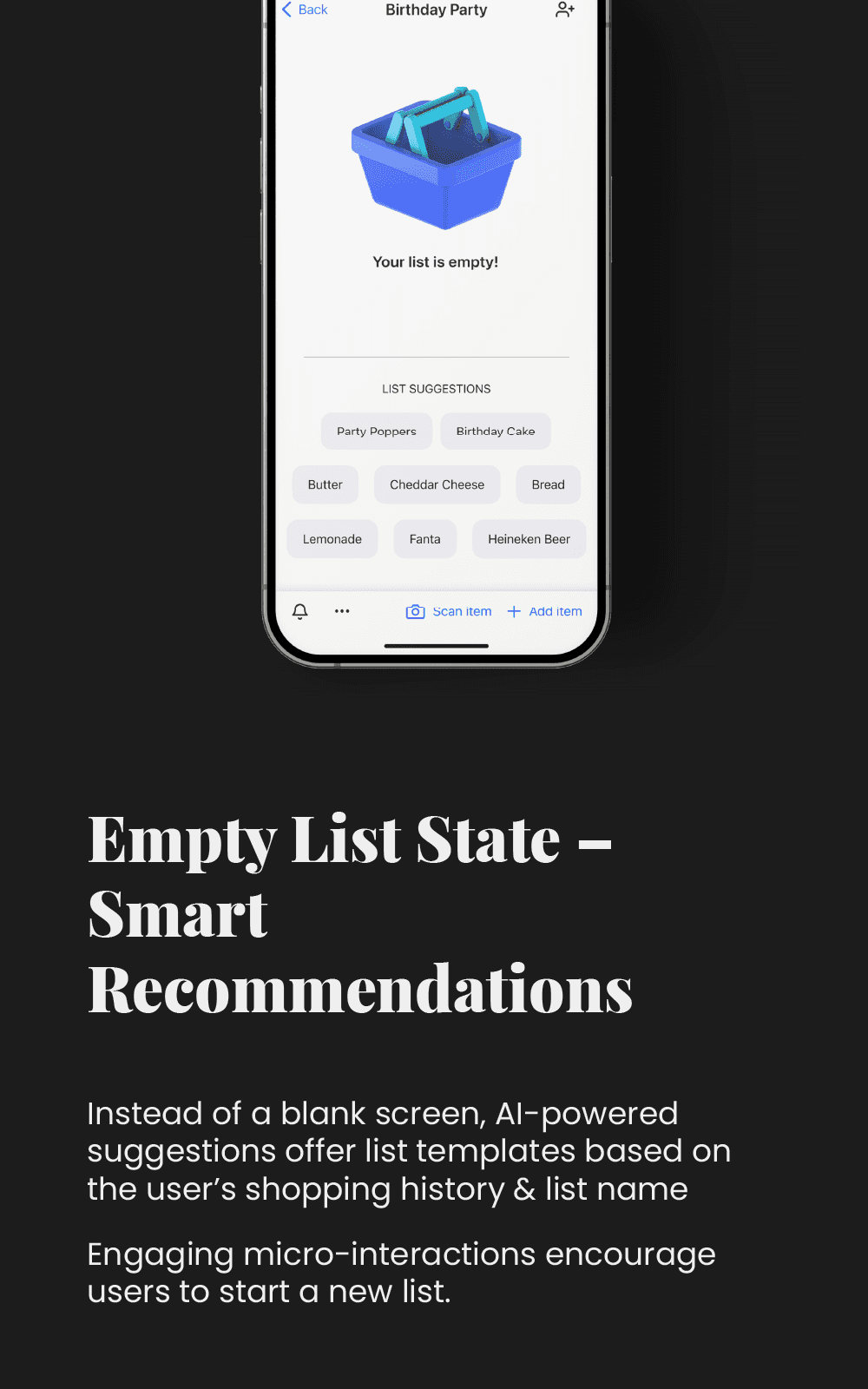
The app suggests items based on past behavior and shopping patterns.
User Flow
User Flow
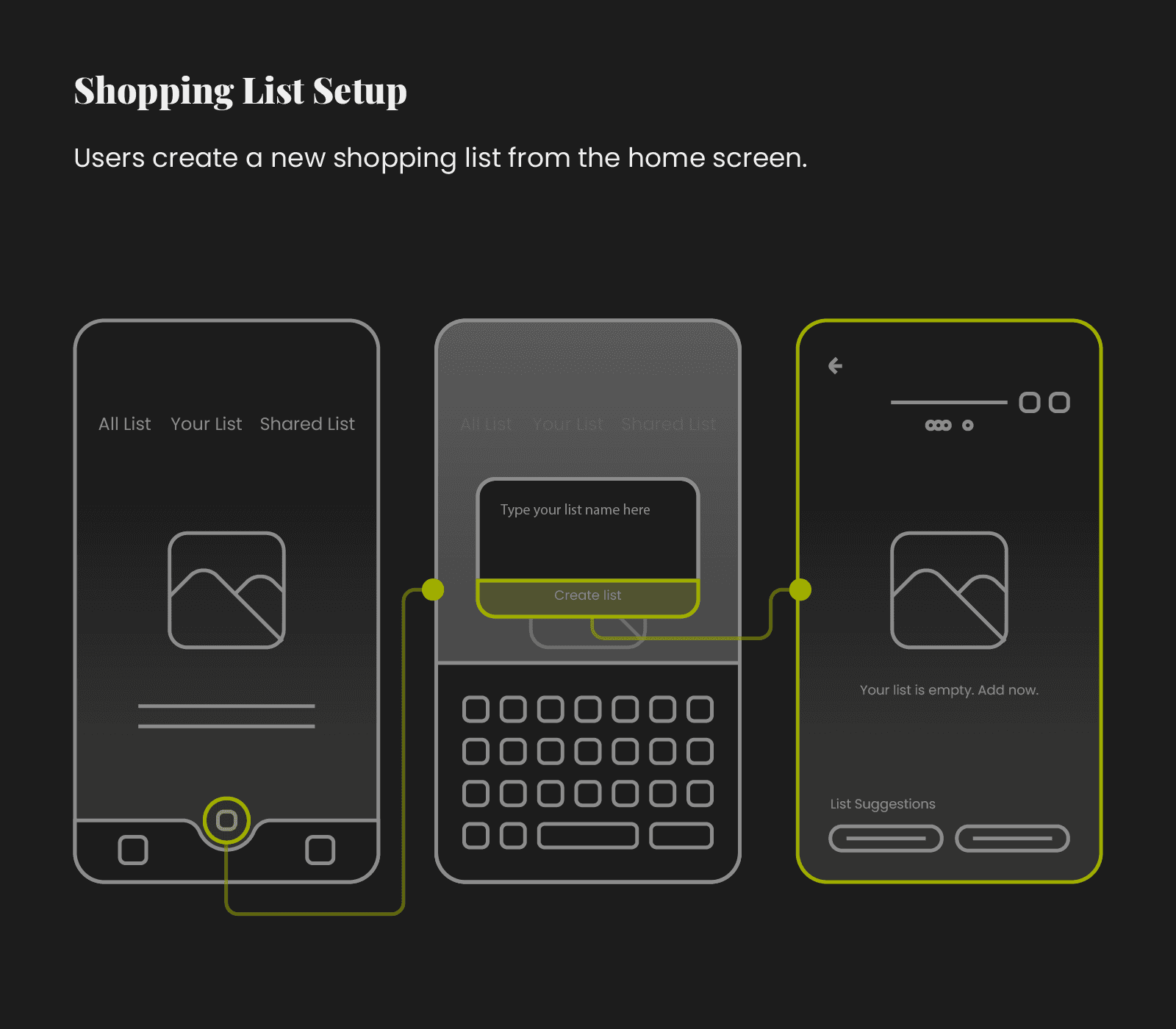
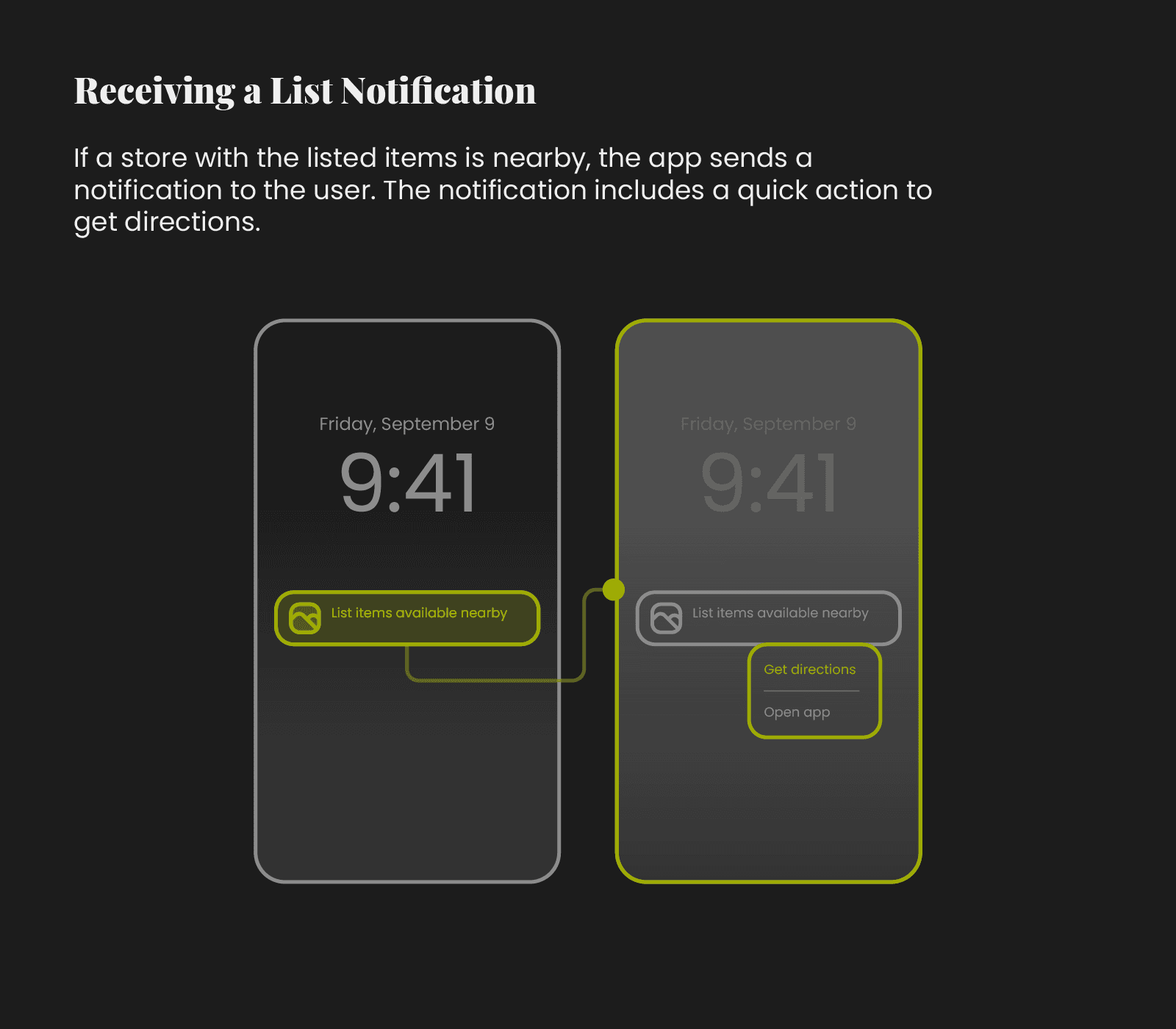
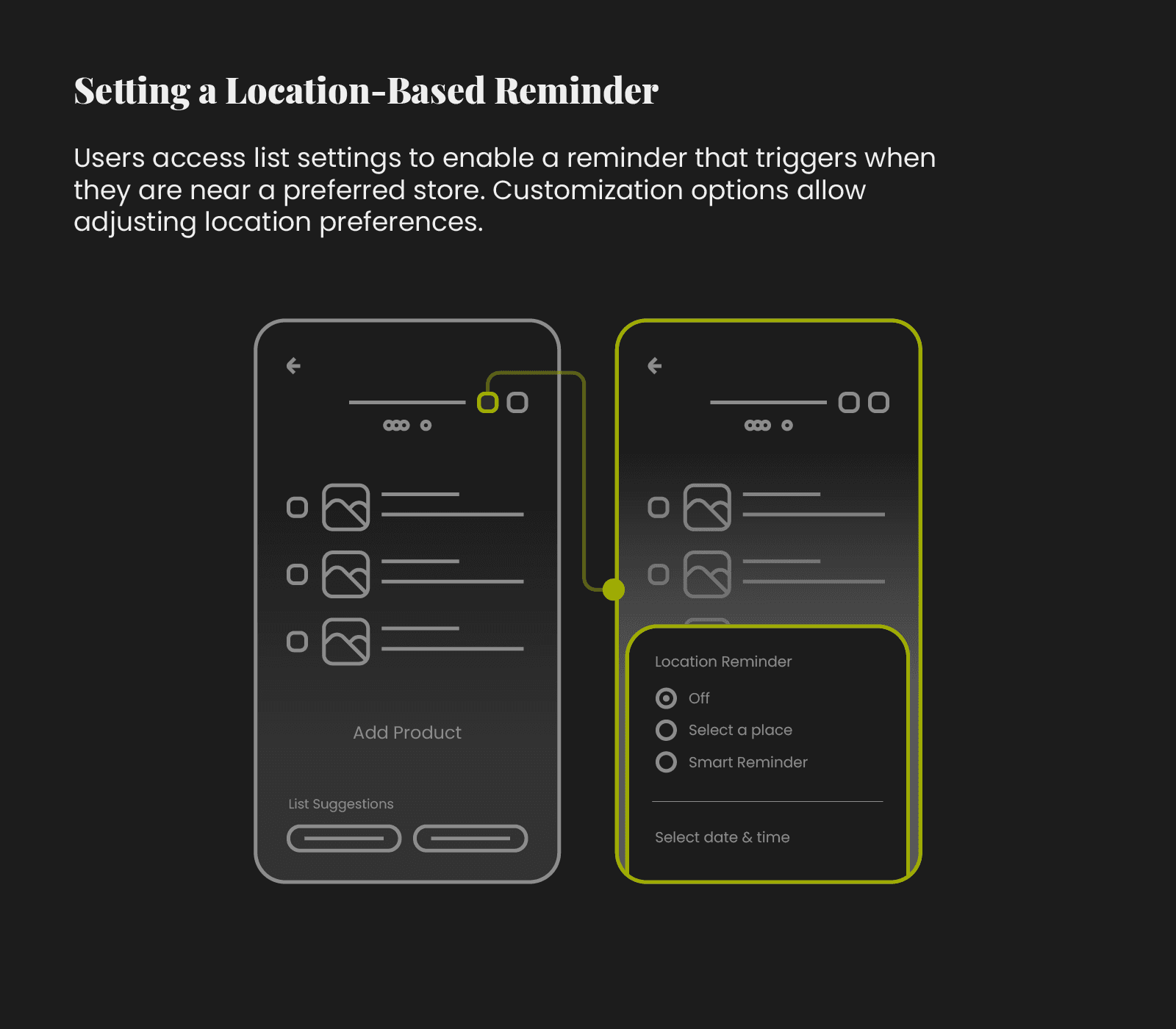
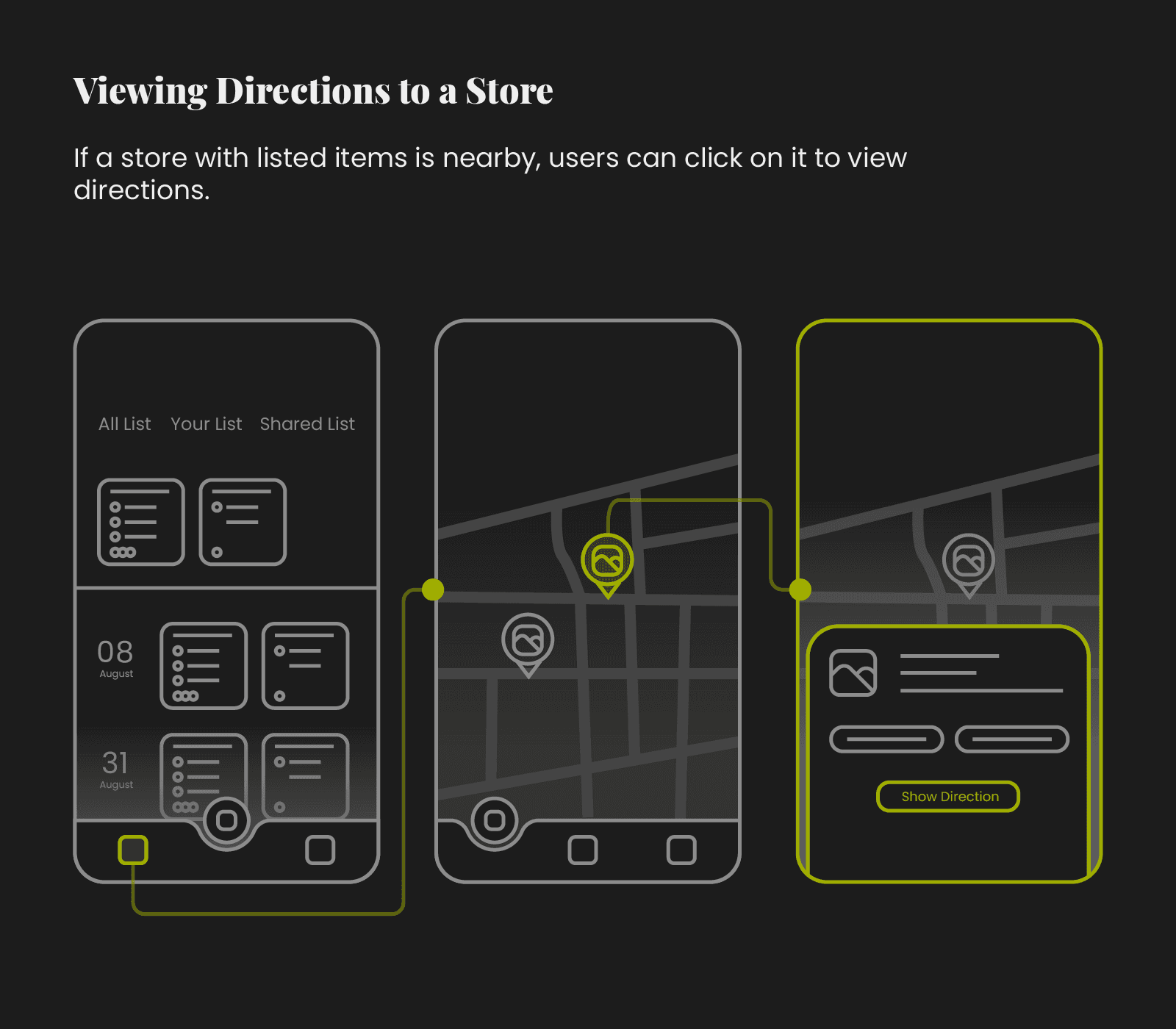
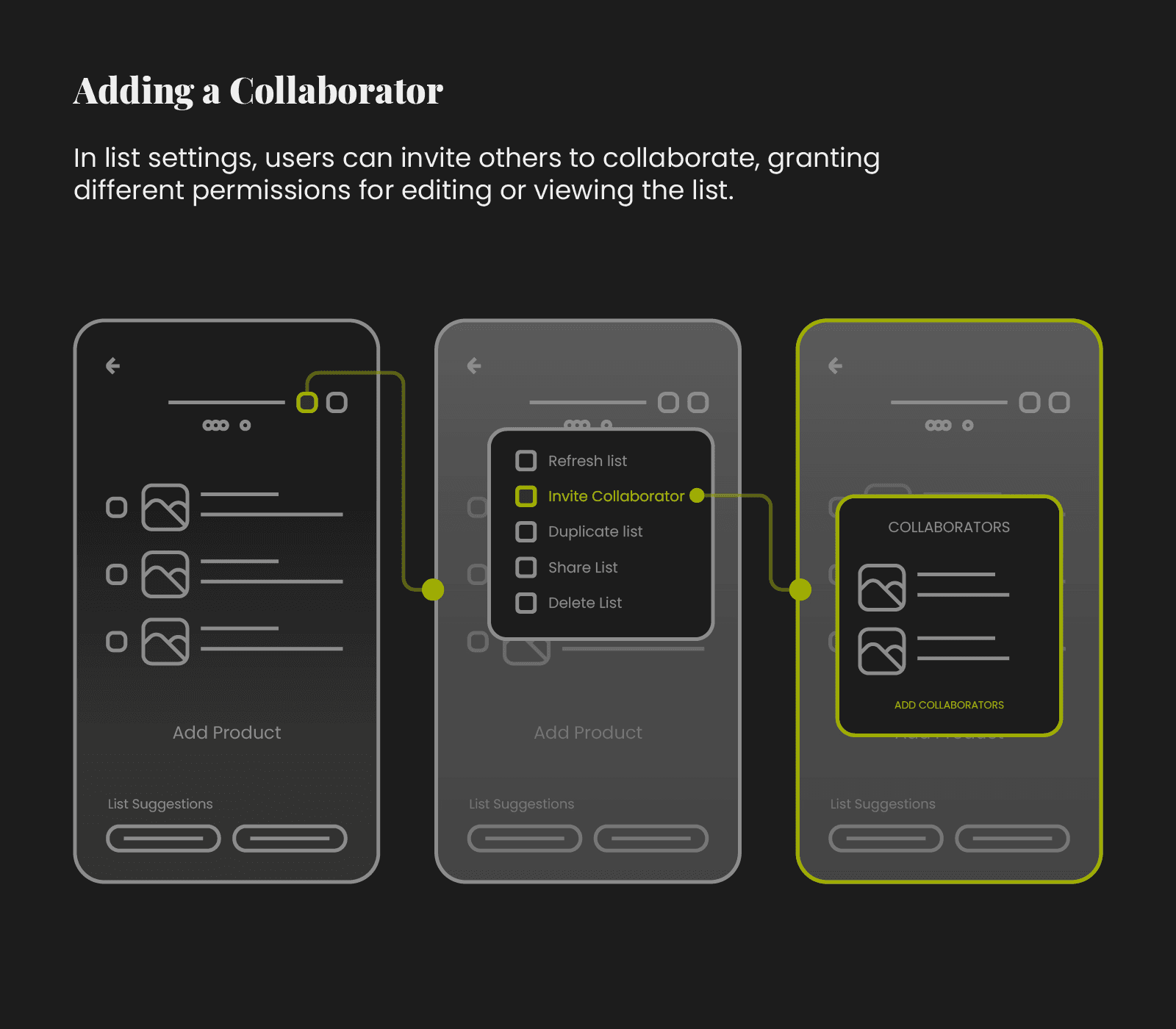
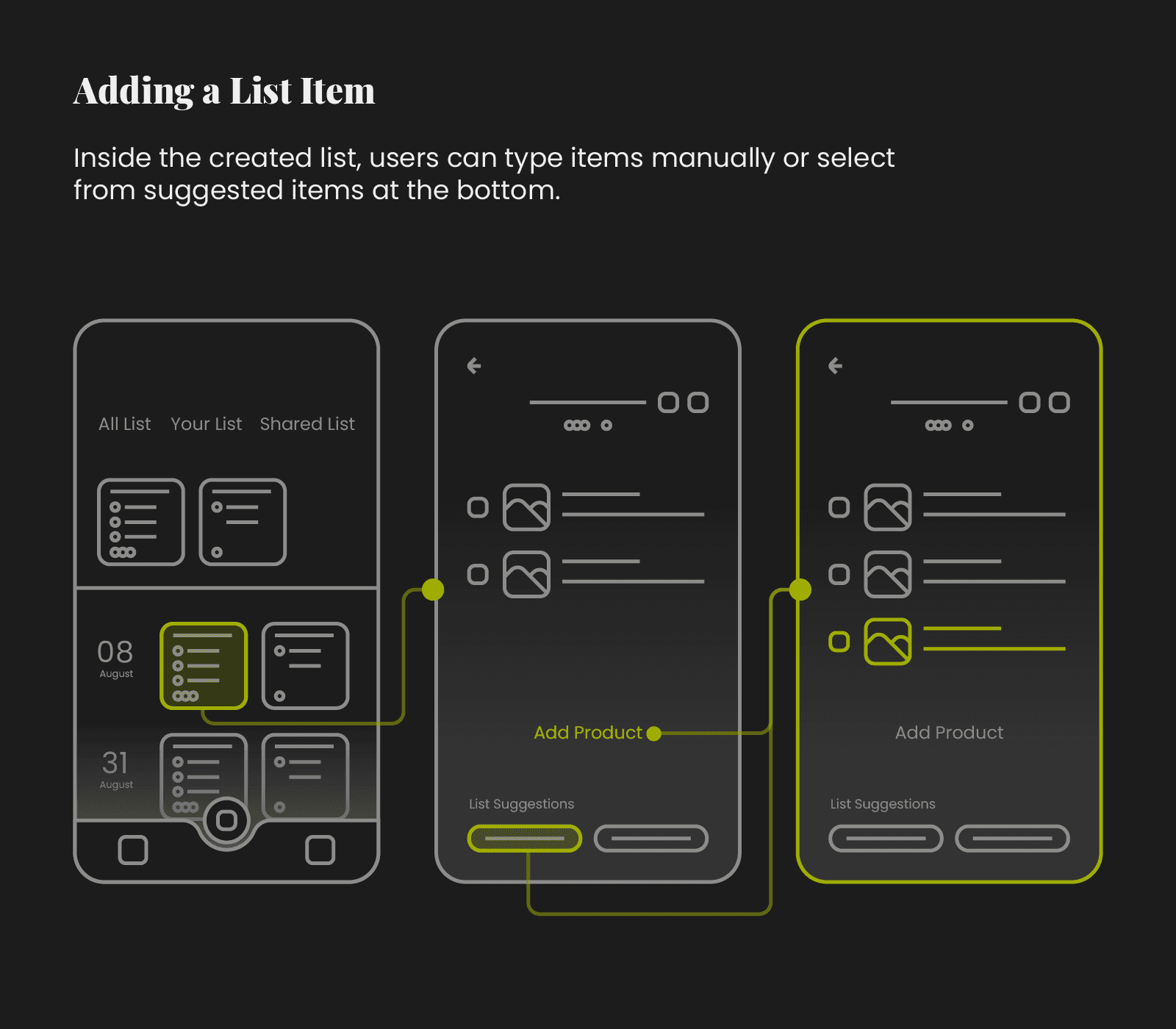
The user flow was designed to minimize the number of steps needed to create a list, set reminders, and collaborate with others.
Wireframes
Wireframes
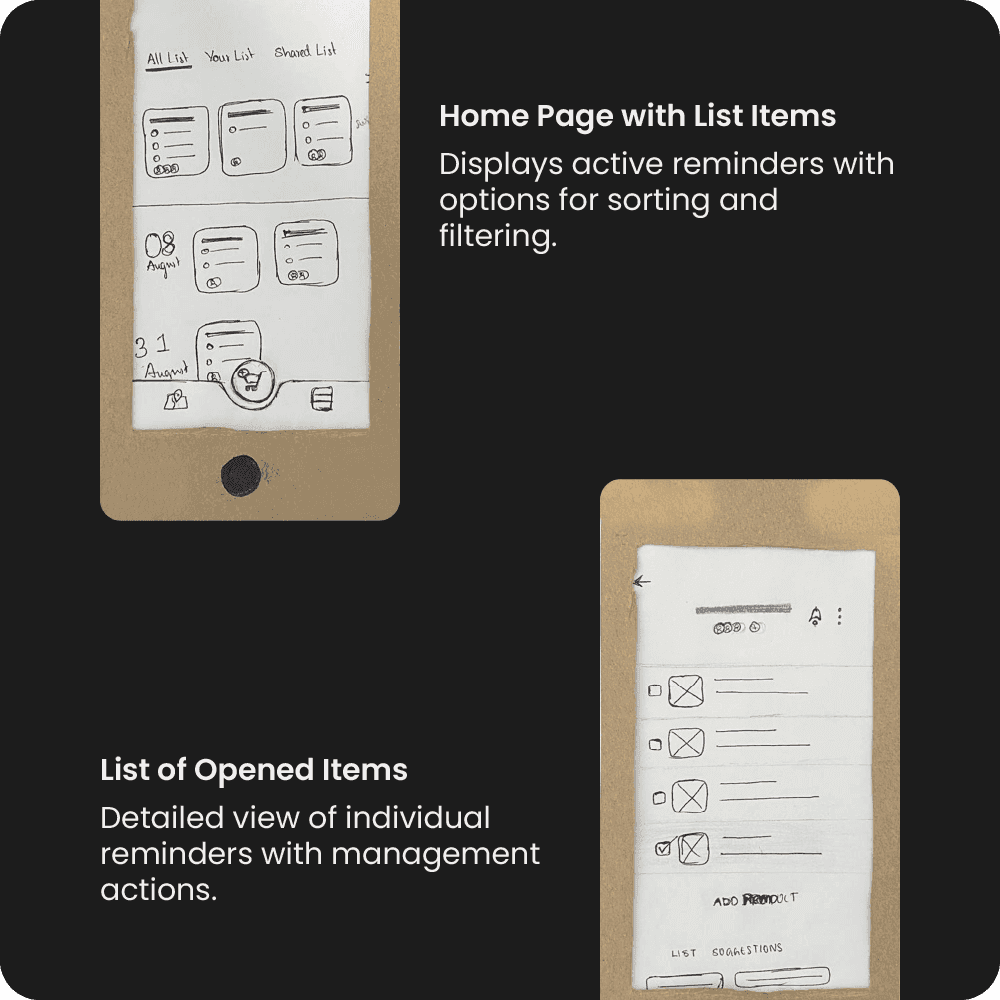
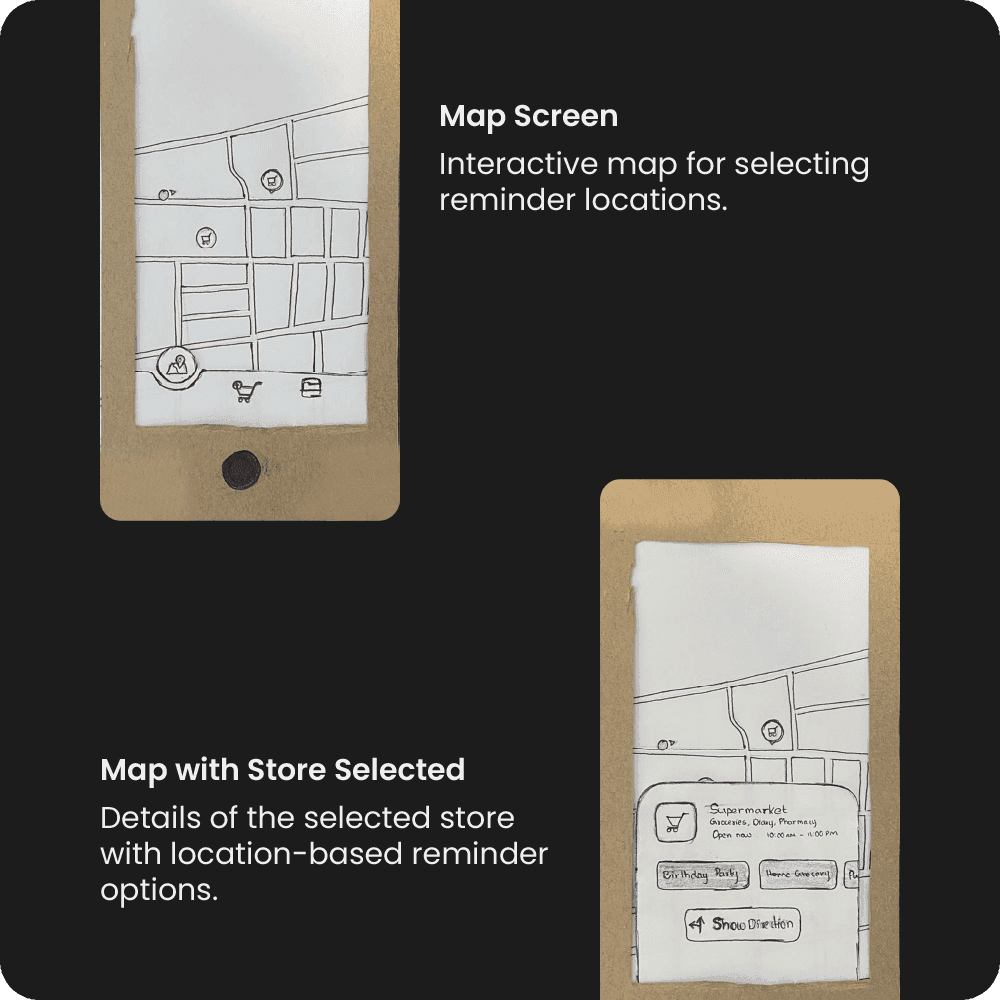
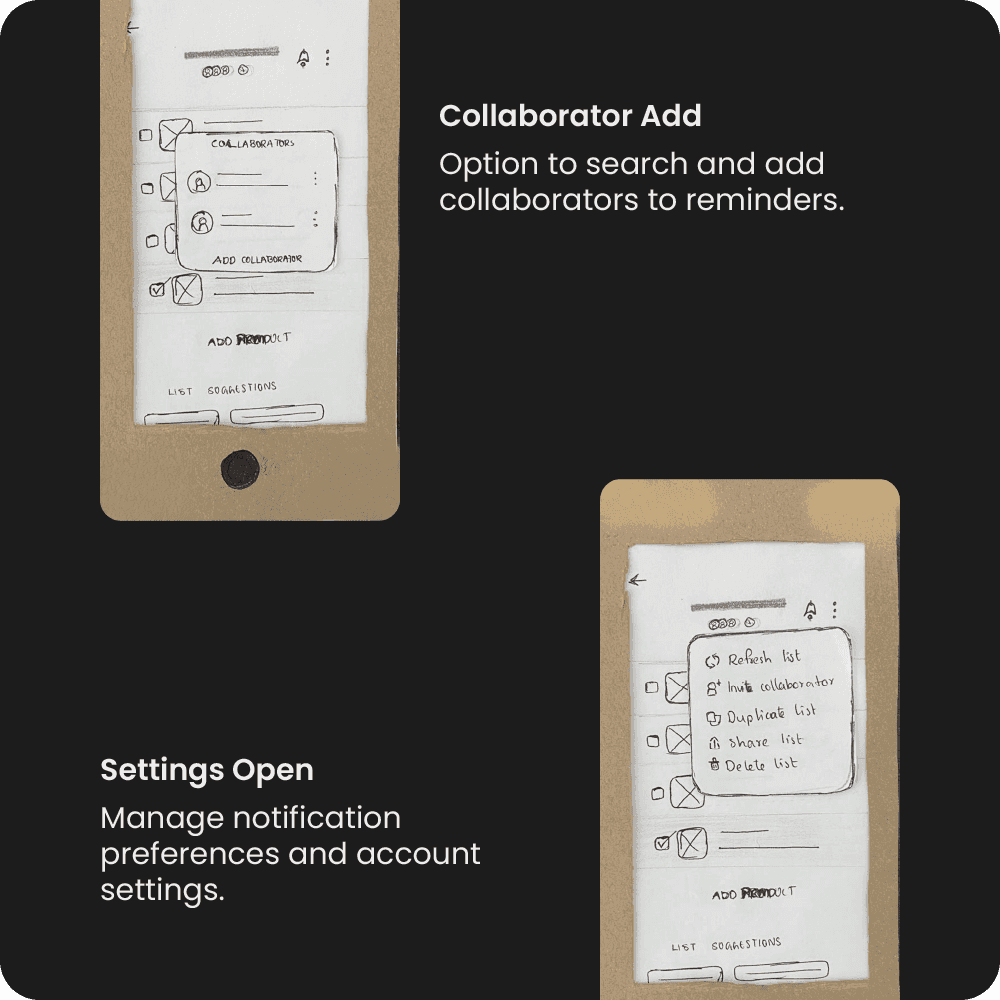
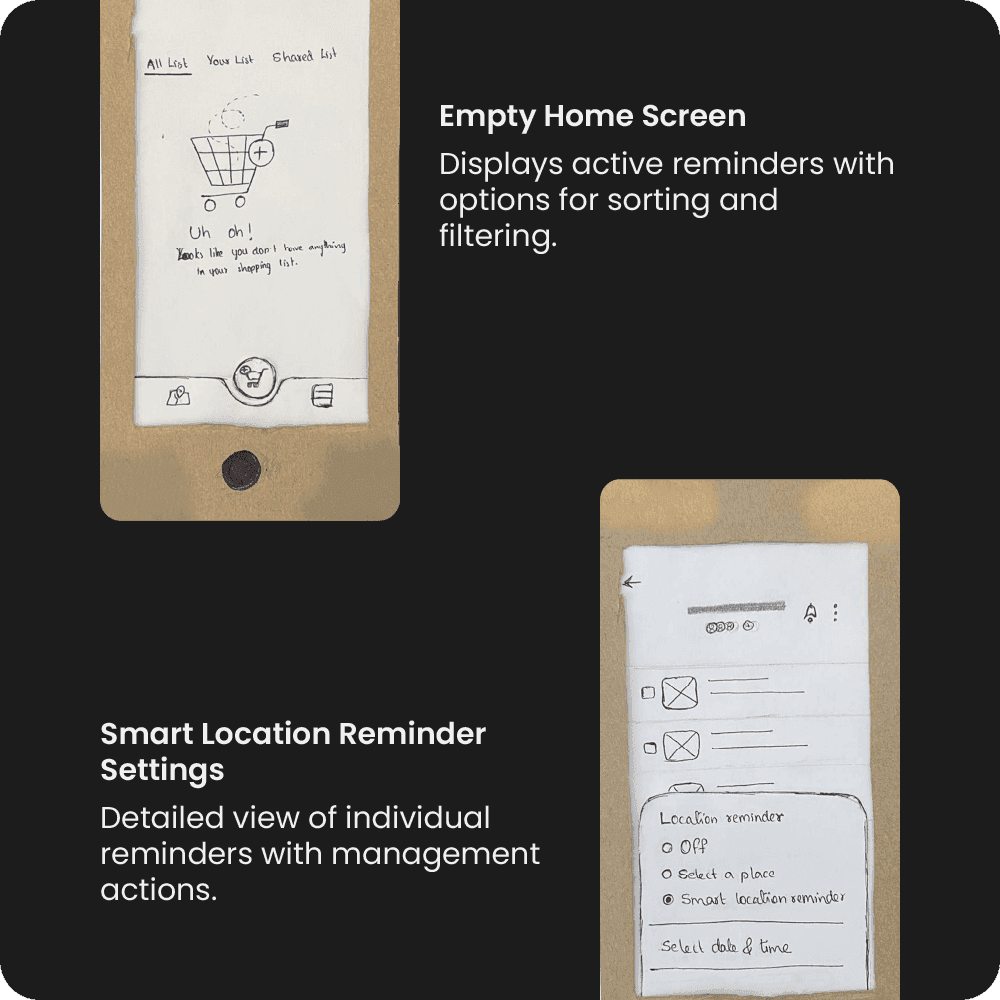
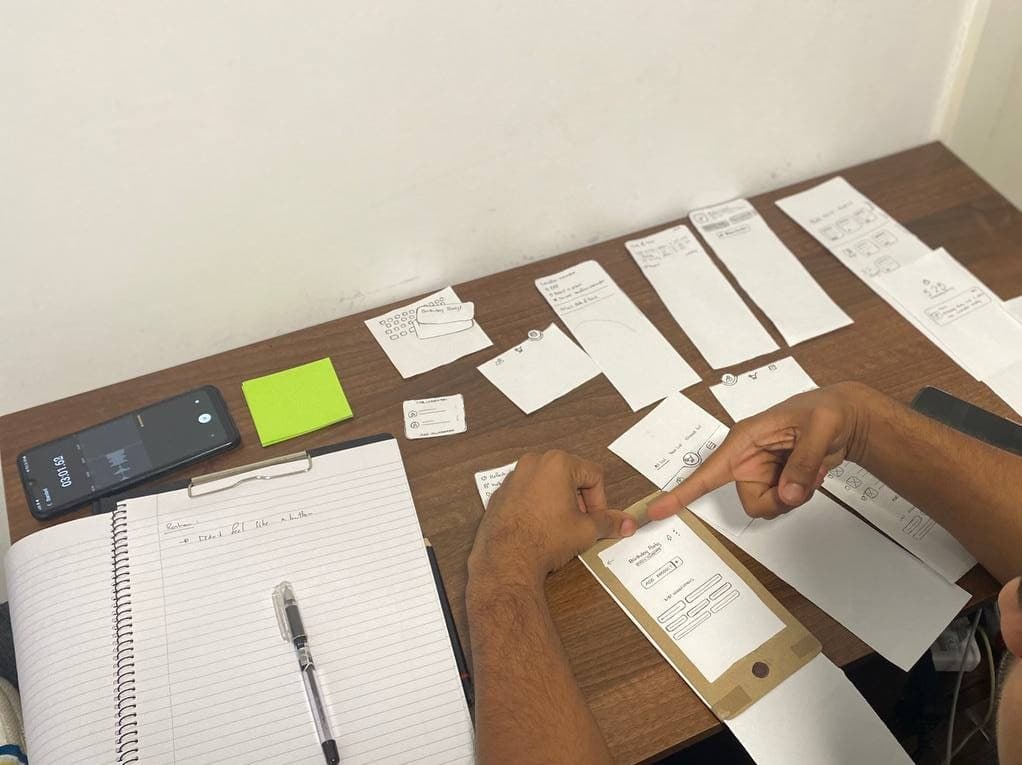
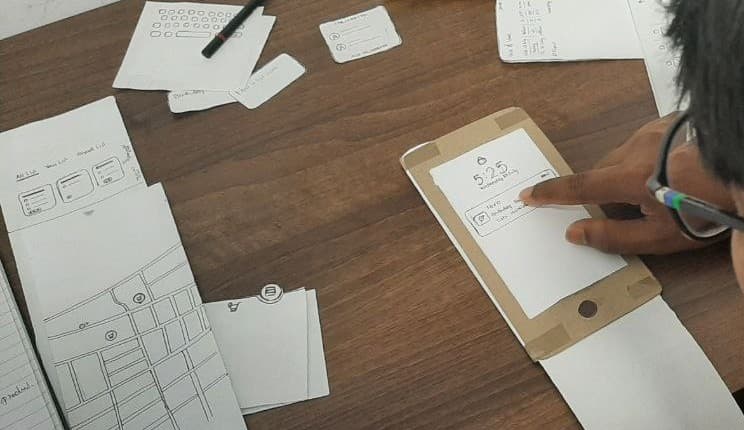
Paper wireframes were iterated through multiple rounds of feedback, evolving from rough sketches to structured layouts.
Early Concepts
UI Design & Early Concepts
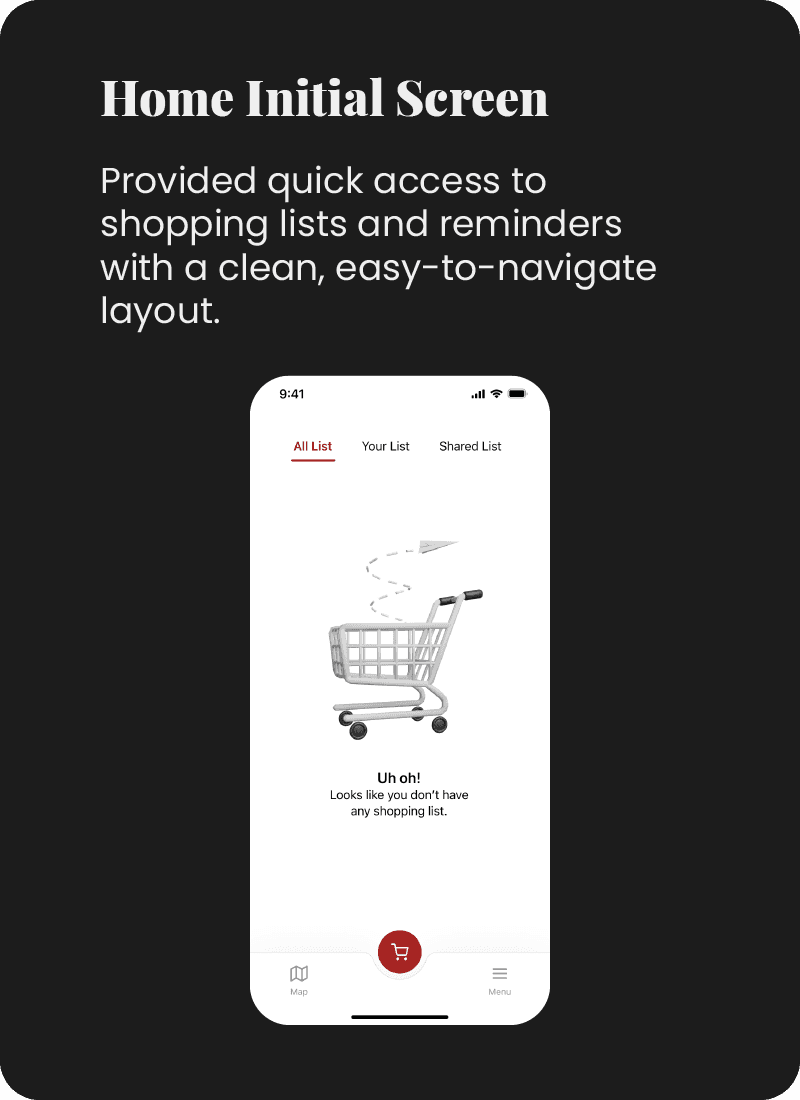
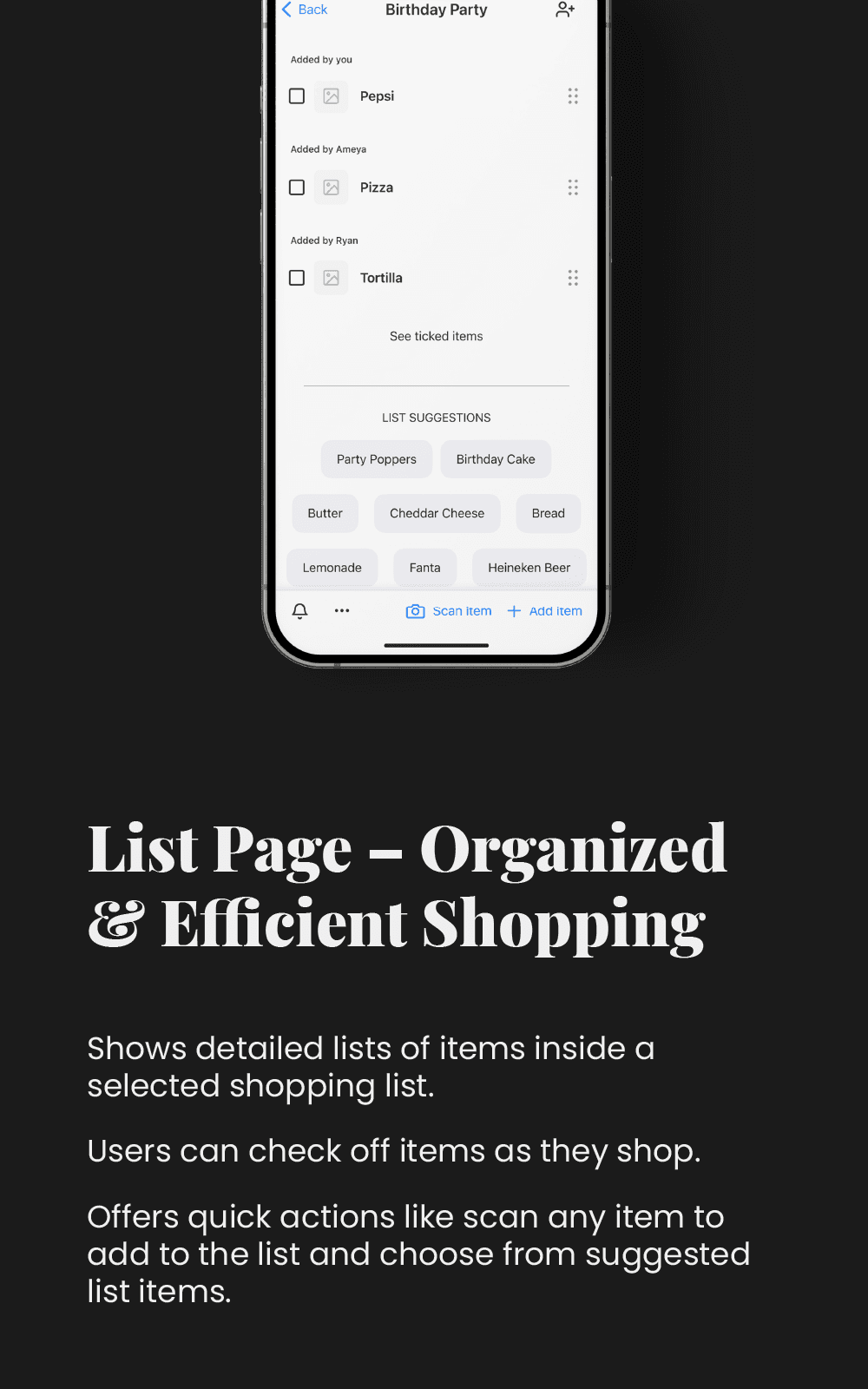
During the initial design phase, the focus was on creating a clean, intuitive interface that made grocery list management seamless. The design approach was centered around simplicity, accessibility, and usability, ensuring that users could quickly add items, set location-based reminders, and collaborate on lists without unnecessary complexity.
These early designs were then tested with users to identify pain points and areas for improvement before moving into the next iteration.
Usability Study
Usability Study
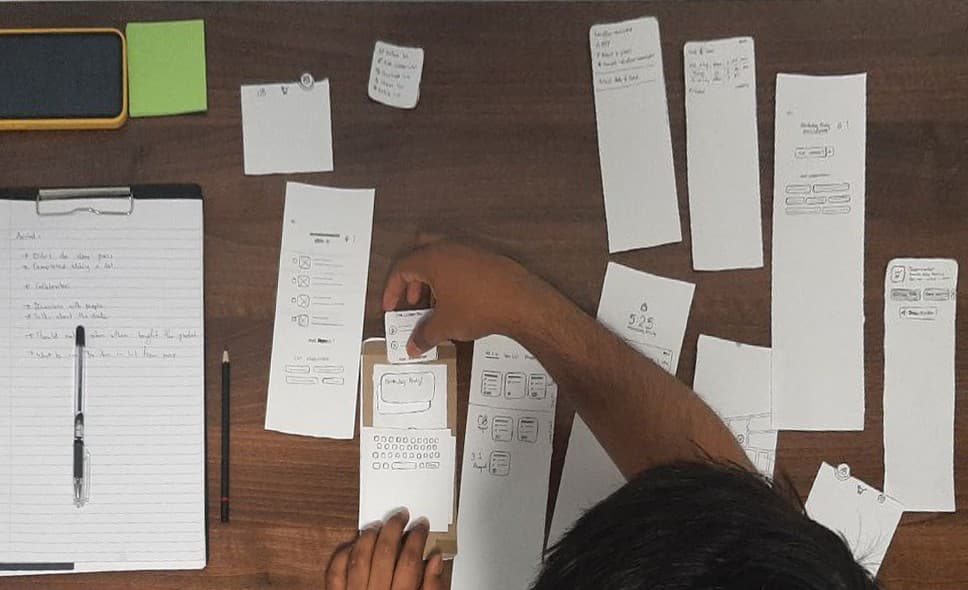
To validate the design concepts, I conducted multiple usability tests using both unmoderated and moderated methods, gathering real user feedback at each stage of the design process.
Objective
Validate core user flows and navigation before moving to low-fidelity design.
Method
Controlled environment testing
Participants
3 users from the target audience (students & busy professionals)
Task Scenarios
Key Findings & Iterations

Difficulty Finding the "Add" Button
One participant couldn't find the "Add" button and initially referred to the paper prototype instead of the wireframe.

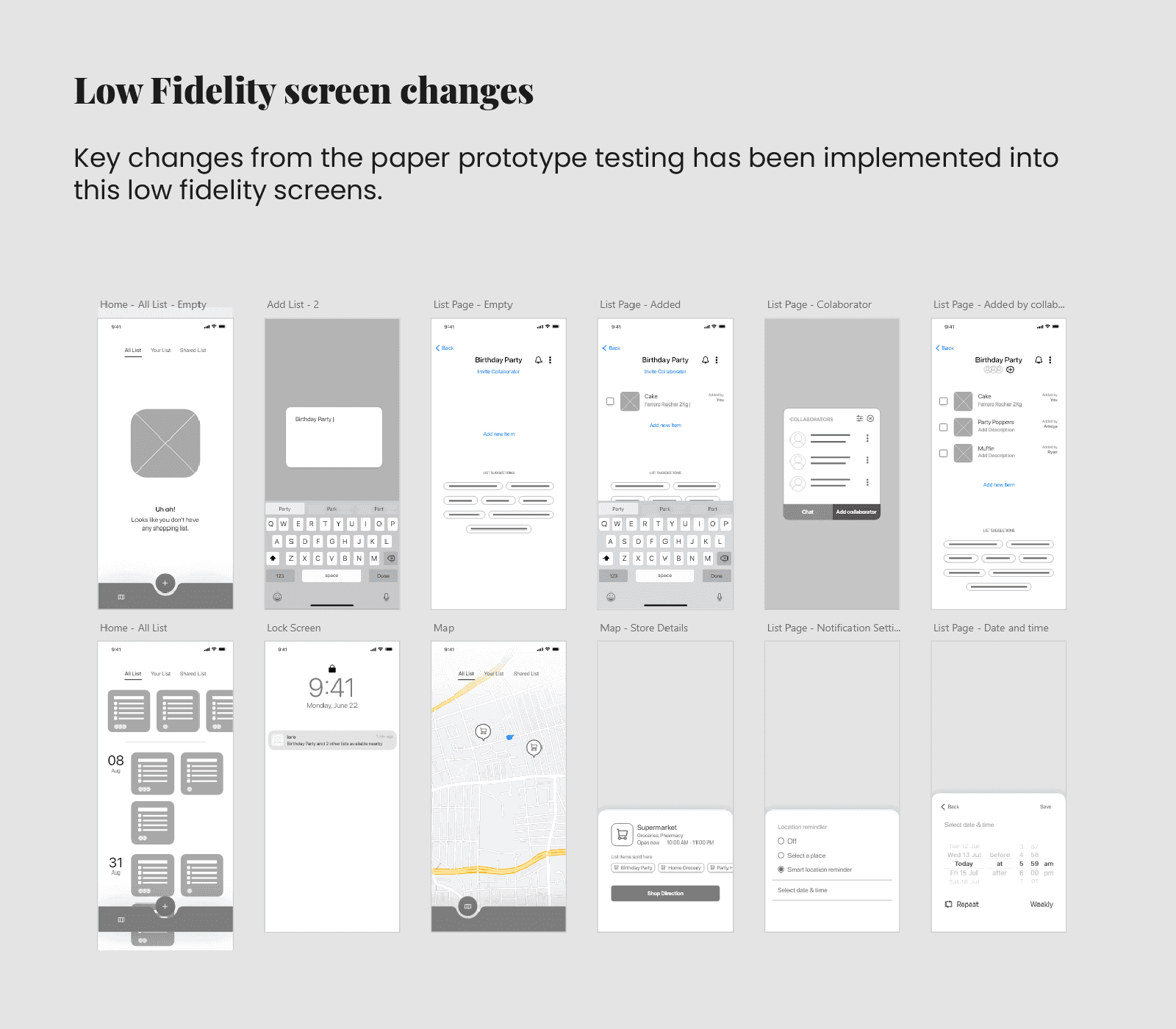
Moved the "Add" button to a more prominent position, making it easier to locate.

Confusion About User Flow
After completing the tasks, participants were asked to arrange the screens based on their experience. Two out of three participants placed them correctly, but one was confused about some pages.

Adjusted the screen sequence to improve navigation clarity.

Ineffective Shared List Collaboration
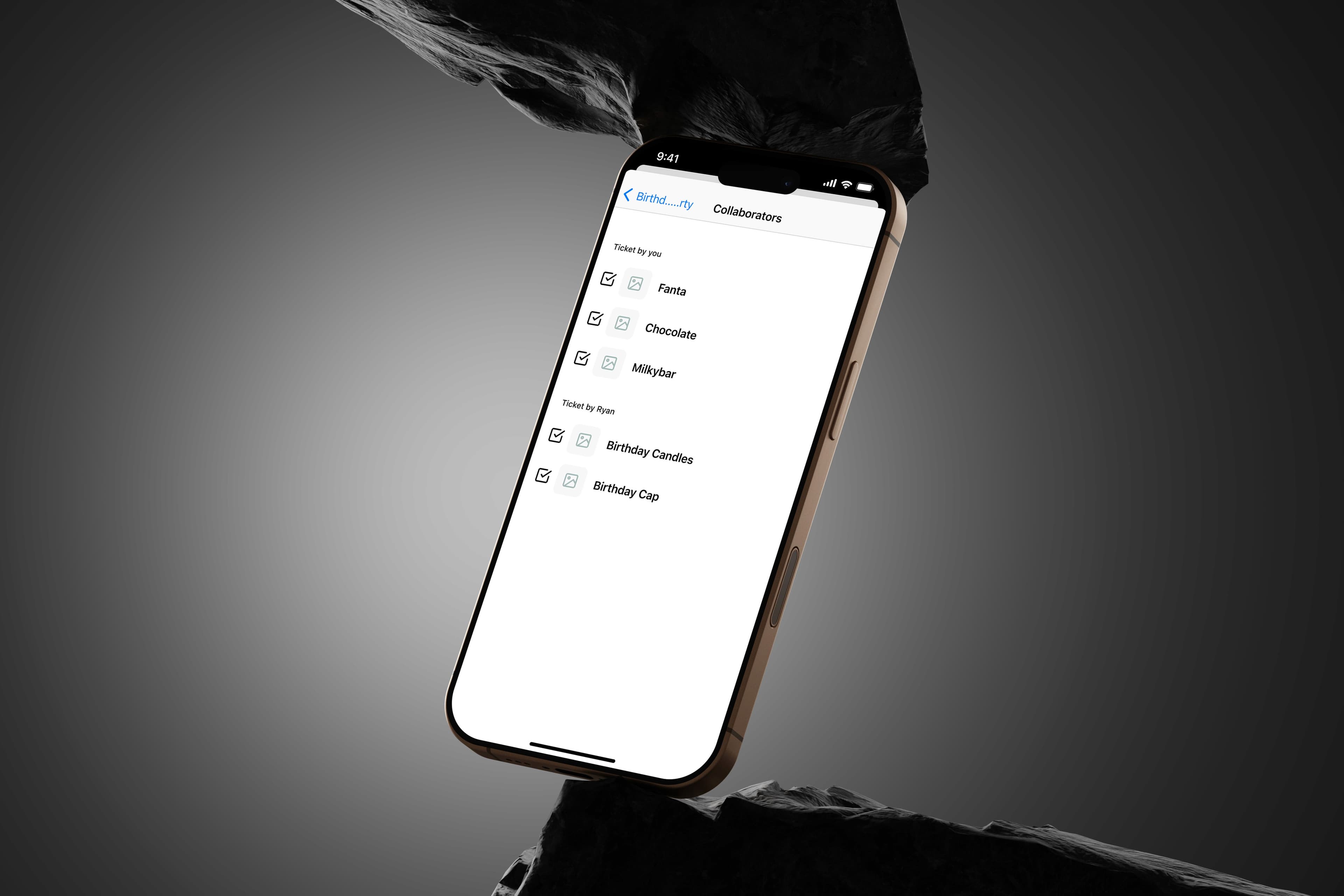
All participants expected a more structured shared list where they could track who added each item.
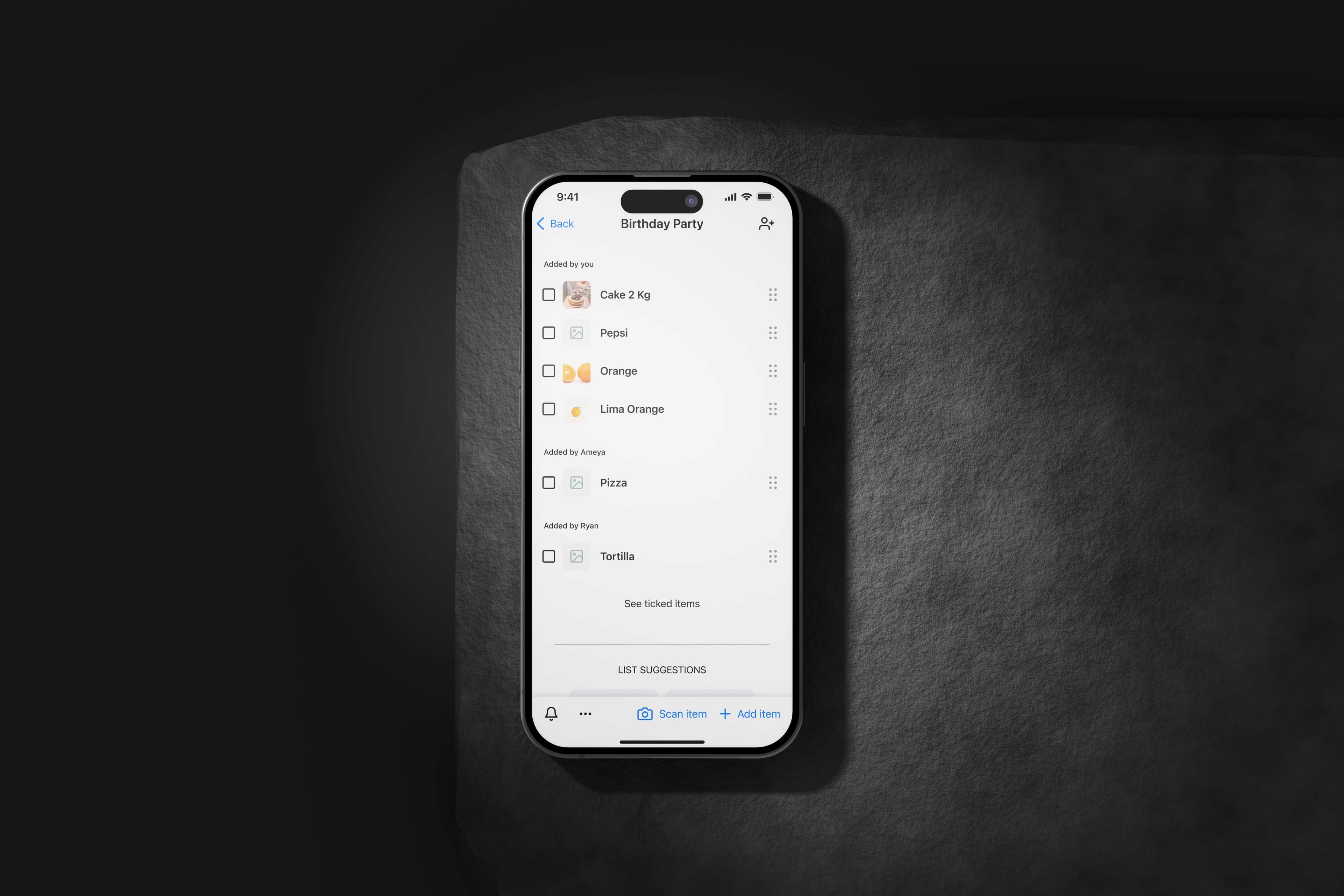
Introduced user attribution for each item in the list, displaying who added what.
Test Results
| Task | Avg. Time | Success Rate |
|---|---|---|
| Add a list | 9s | 80% |
| Add a list item | 16s | 80% |
| Add a collaborator | 11s | 80% |
| Set a reminder | 28s | 80% |
| View directions | 15s | 80% |
Visual Design
UI Design & Visual Concepts
For the Location-Based Grocery Reminder App, the design aimed for a clean, intuitive, and visually engaging experience. The interface was crafted to minimize cognitive load, ensuring users could navigate seamlessly between features. The color palette was selected to be calm and inviting, with subtle cues to guide user actions.
Minimalistic UI
Clear visual hierarchy to keep the focus on key actions.
Soft Colors & Shadows
Calm, inviting palette creating a friendly experience.
Micro-Interactions
Smooth feedback for every user action.
Optimized Typography
Easy-to-read type for both indoor and outdoor visibility.
Mockups
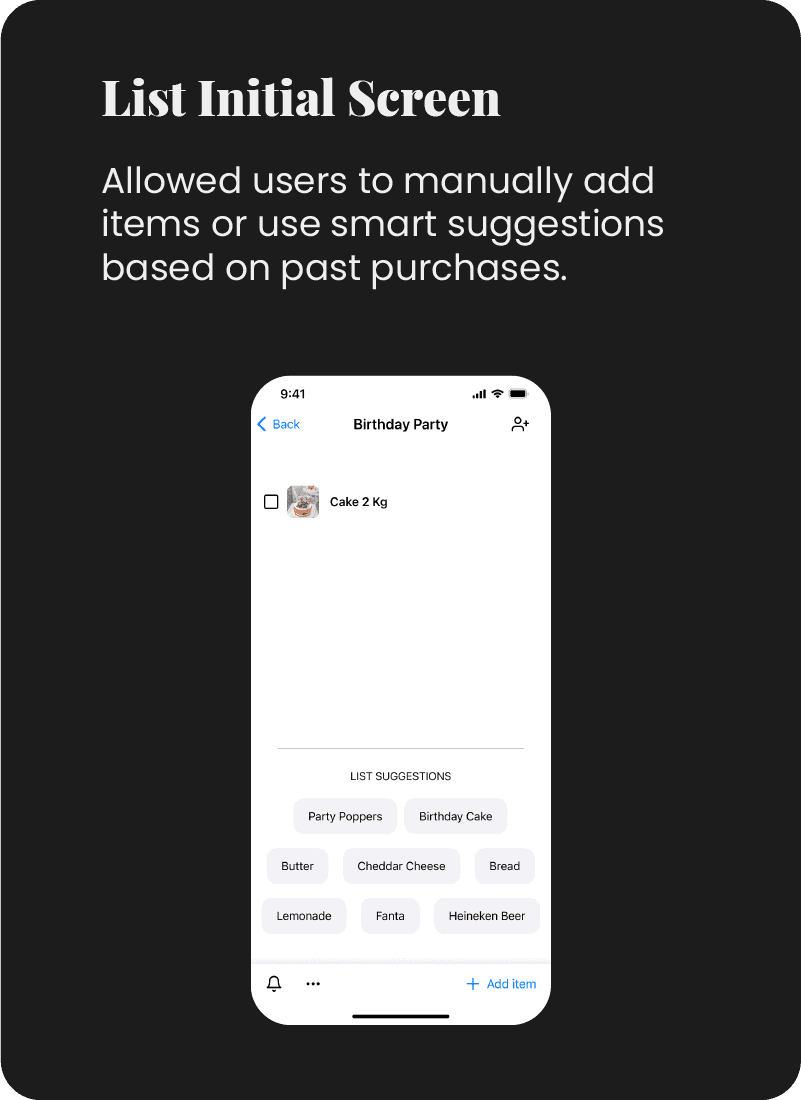
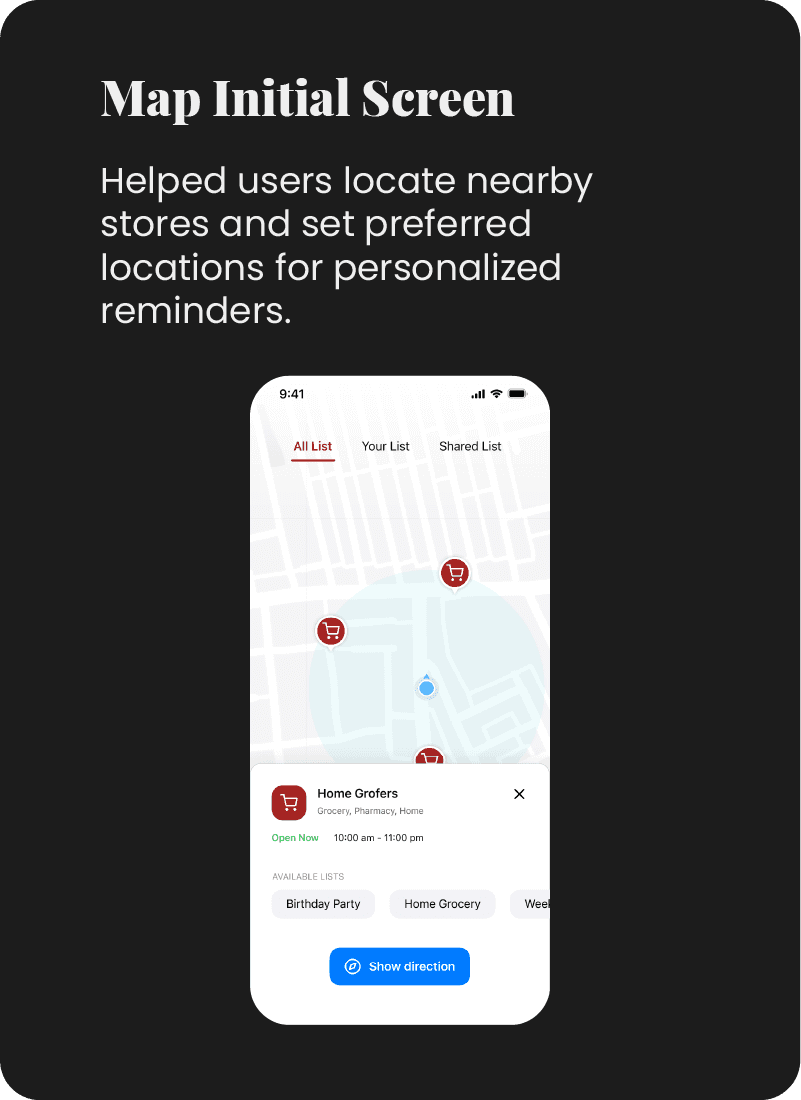
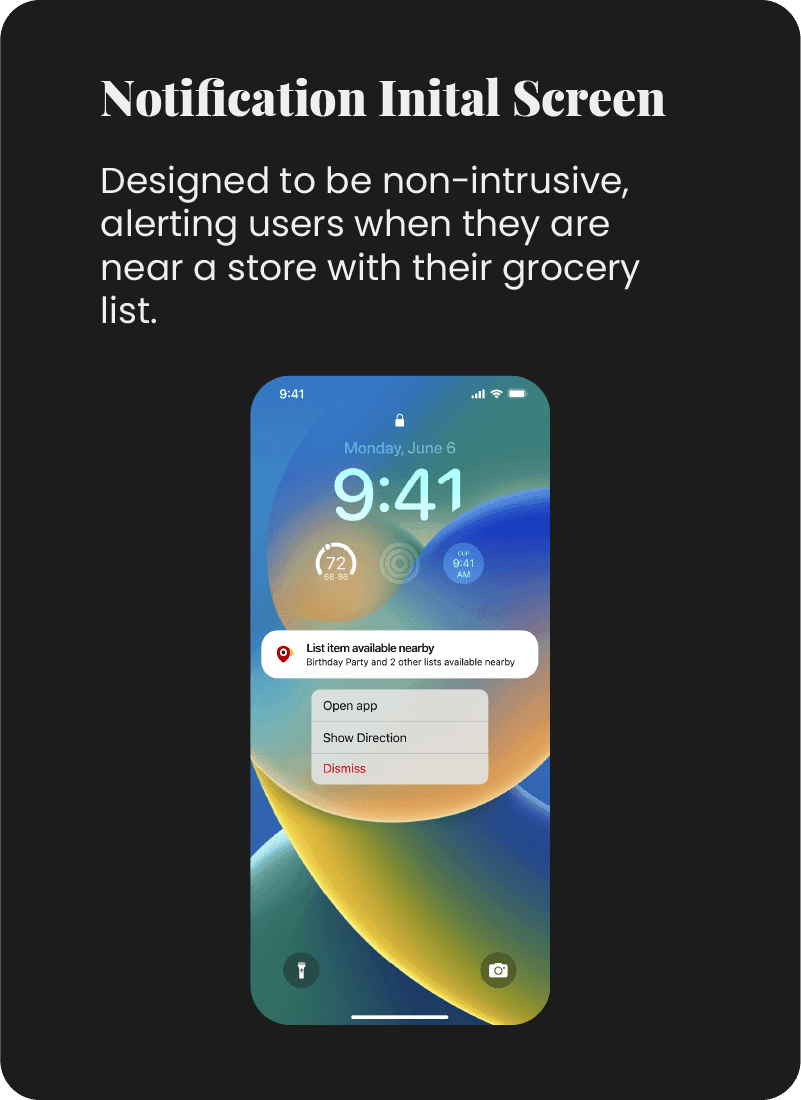
Final Design Mockups
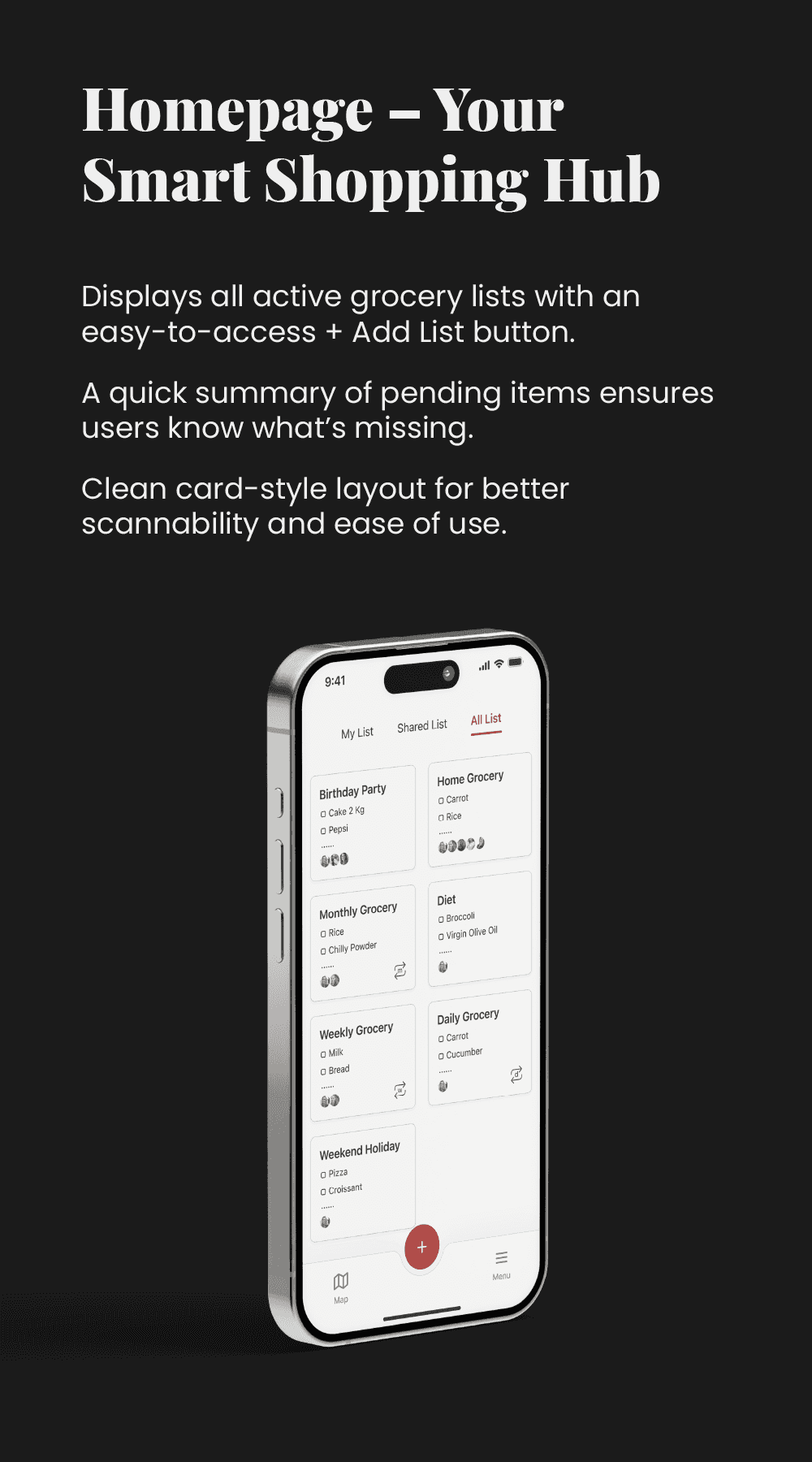
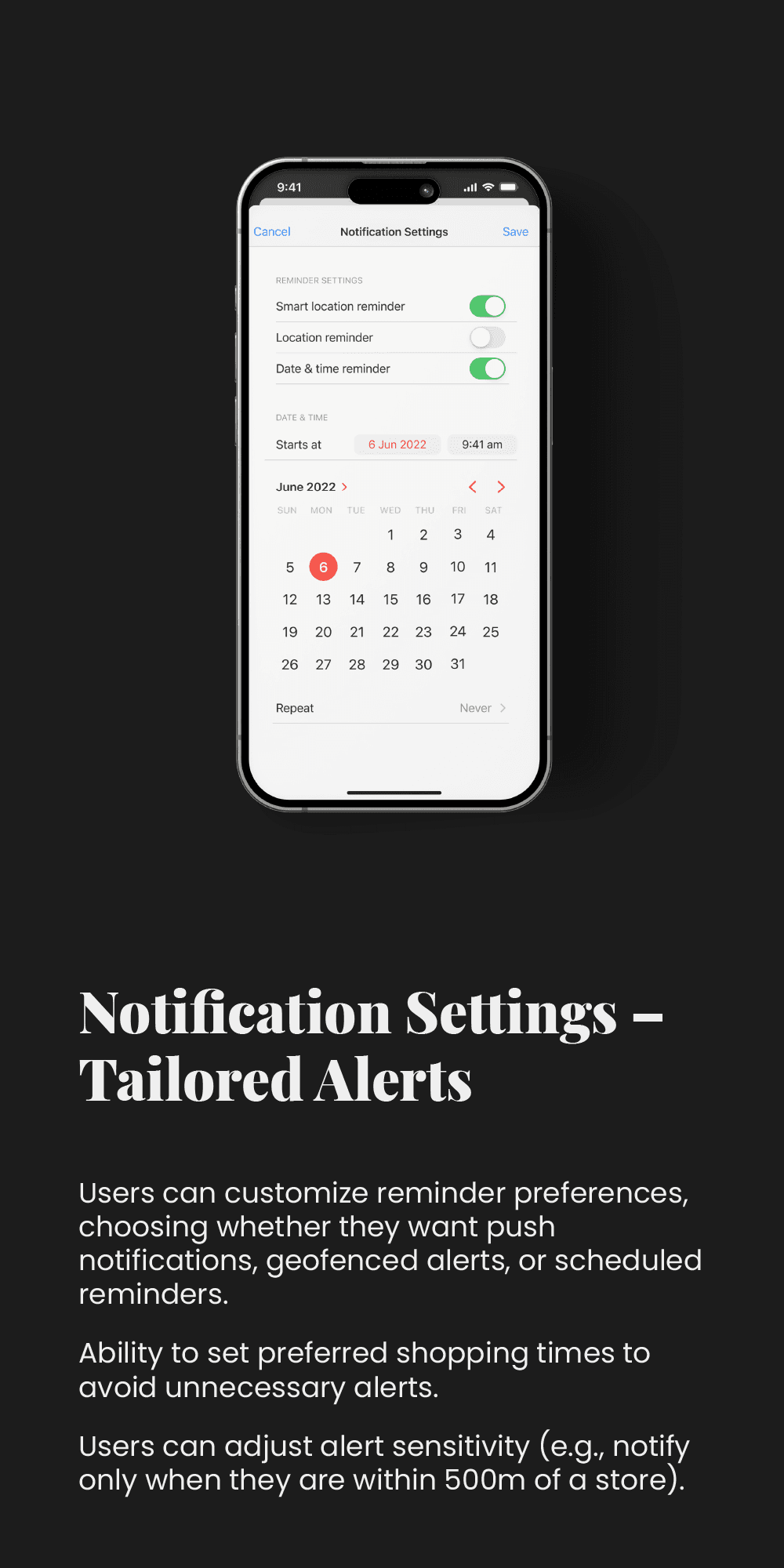
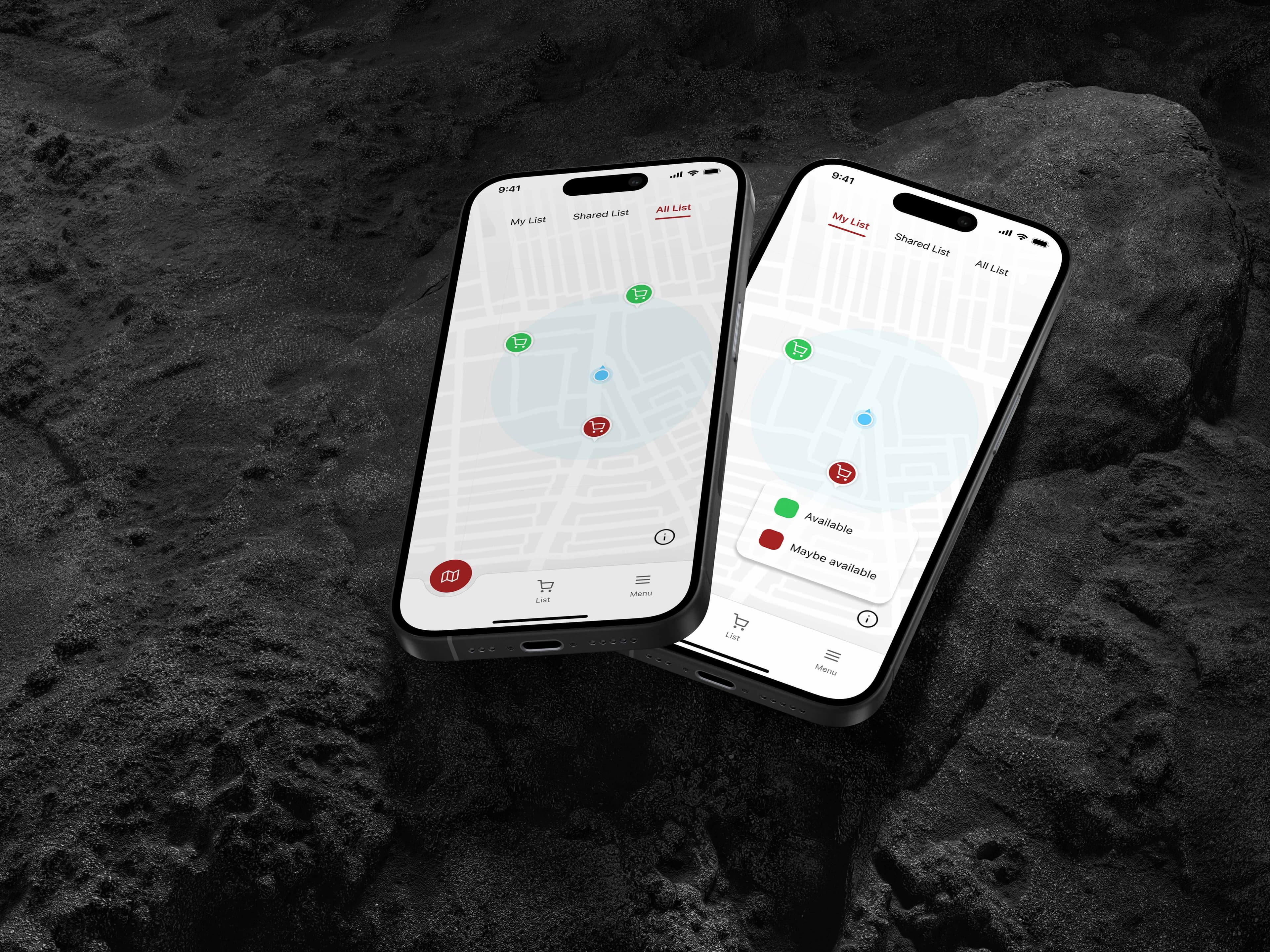
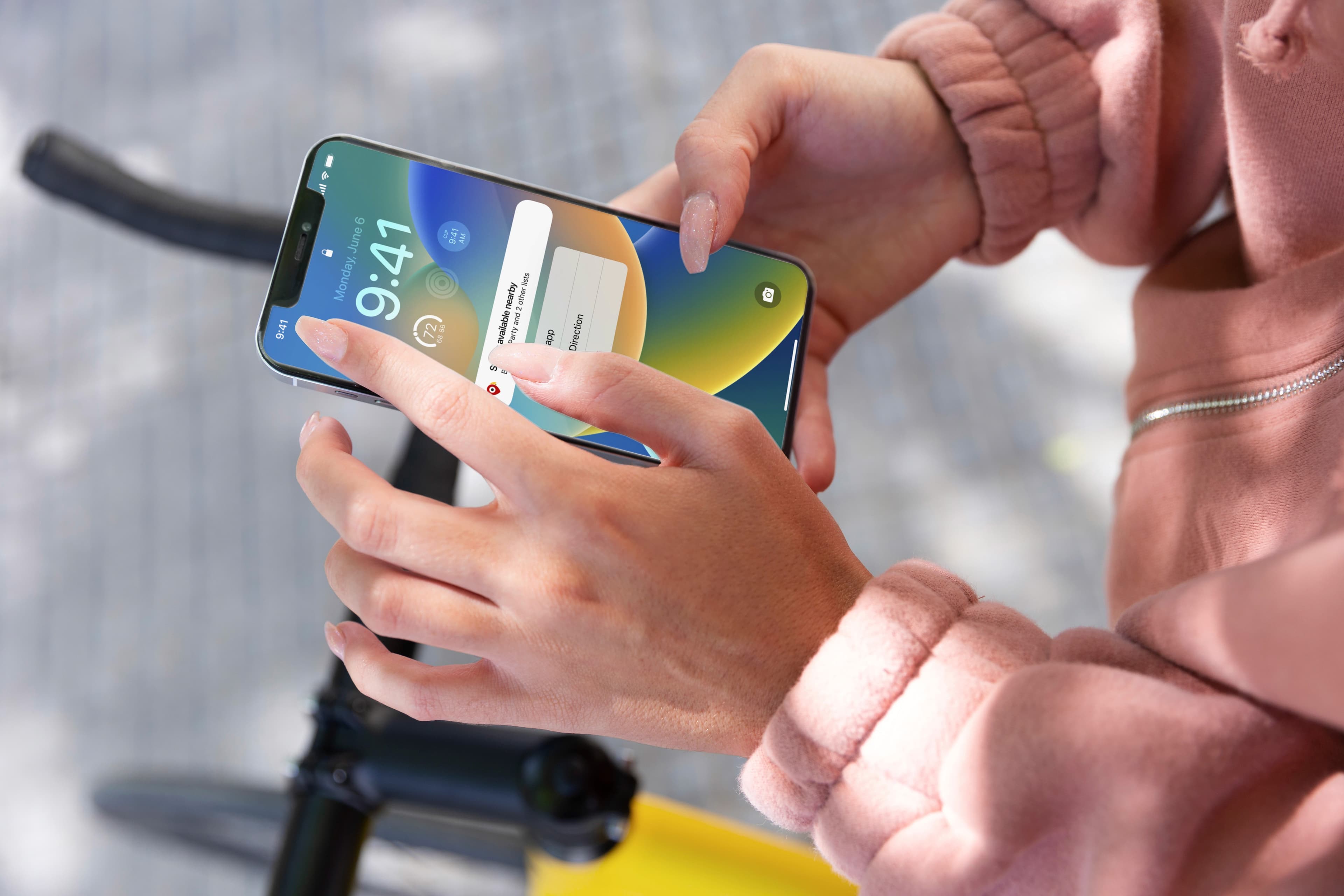
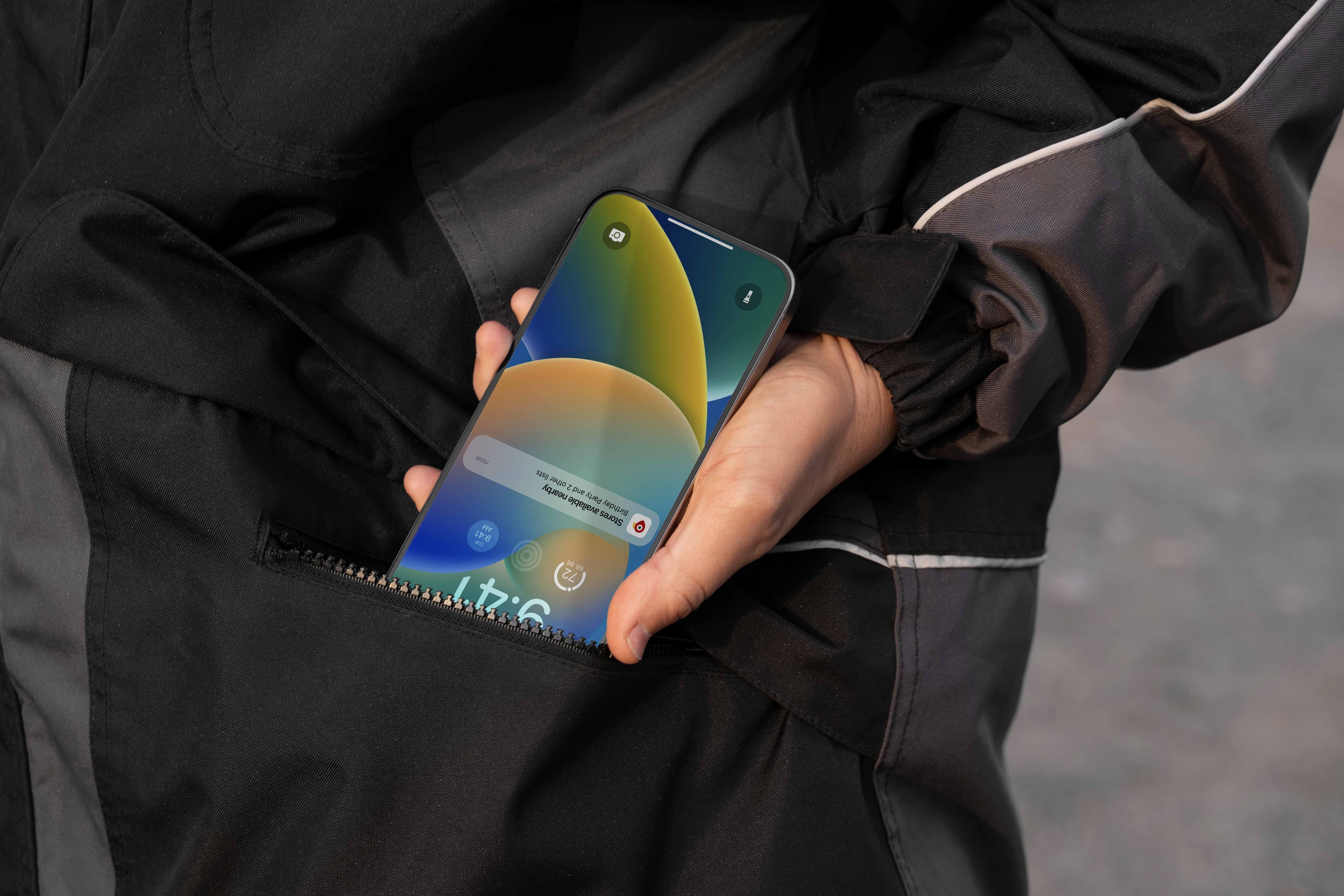
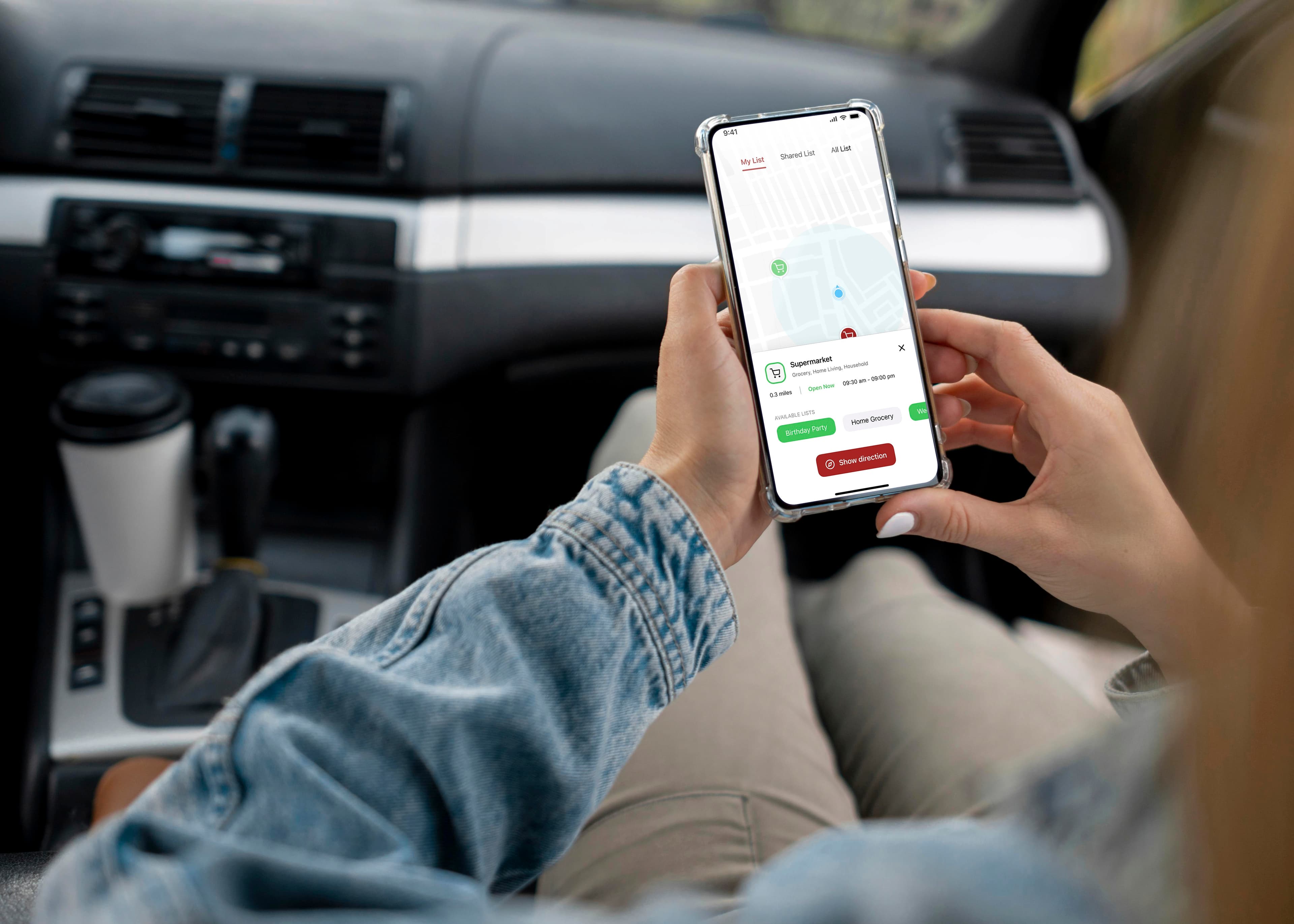
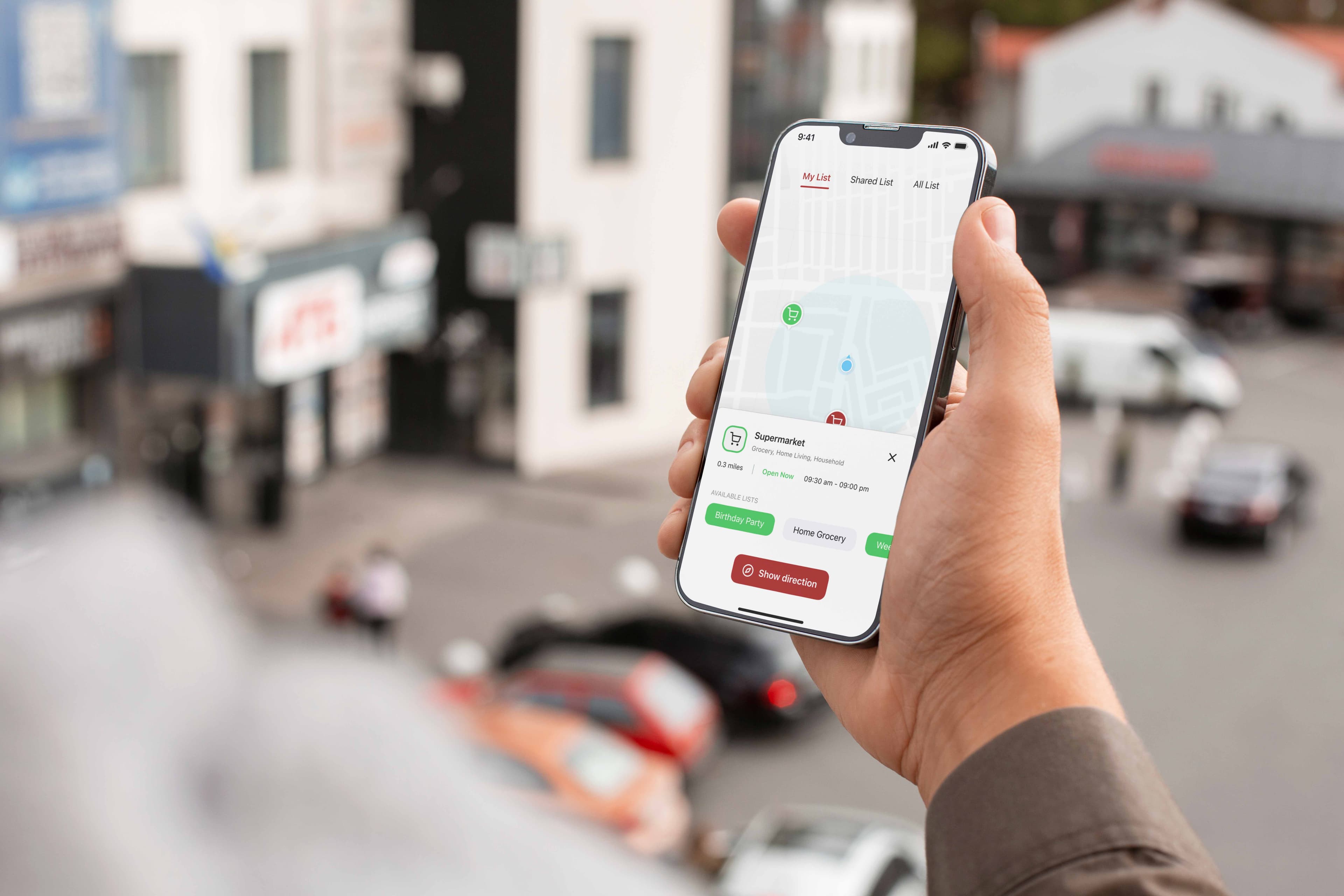
High-fidelity mockups showcasing the polished UI in realistic device contexts, from store maps to notification flows.
Use Cases
Use Cases & Real-World Scenarios
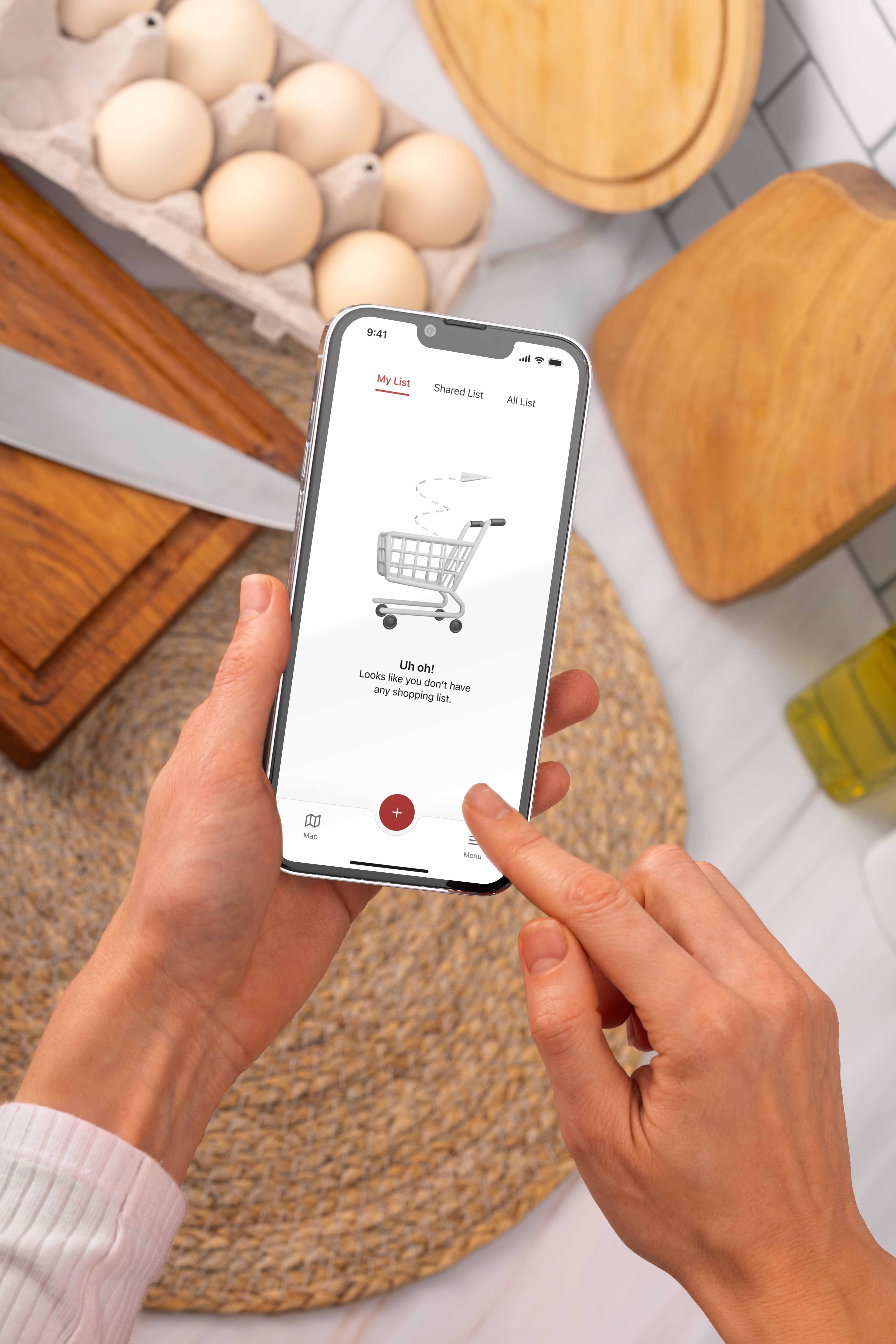
The app was designed with real-world usage in mind. Whether a user is driving past a grocery store, walking through a shopping district, or planning a weekly trip, the app adapts to provide timely, context-sensitive reminders that fit seamlessly into daily routines.
Outcomes
Outcomes & Learnings
User-Centered Design Matters
Location-based, personalized reminders significantly improve the shopping experience.
Simplicity is Key
Streamlined features and intuitive flows drive efficiency and user satisfaction.
Iterative Design is Crucial
Three rounds of usability testing helped refine features and eliminate friction at every stage.
What's Next
Future Directions
- 01Voice input for hands-free list creation
- 02Grocery store API integration for real-time inventory awareness
- 03AI-driven smart lists that automatically suggest weekly essentials based on past habits
- 04Family/household sharing with role-based permissions
Conclusion
Conclusion
This case study explores how location-based technology, AI, and UX design can optimize grocery shopping. The Location-Based Grocery Reminder App bridges the gap between user forgetfulness and smart technology, ensuring users never miss an essential grocery item again.
By integrating seamless reminders, smart suggestions, and store-aware notifications, this conceptual project demonstrates the power of human-centered design in everyday problem-solving.
If developed, it could make grocery trips less stressful and save time by reminding people of their list at the right moment.
Thank you for exploring this work
Questions about this project, or just want to talk? Get in touch.