

Product Design
Finding your way around a gallery with AR
arway
Role
UX/UI Designer
Year
2022
Industry
Tourism & Technology
Client
Academic Project
Services
UX Research, AR Prototyping, UI Design, Usability Testing
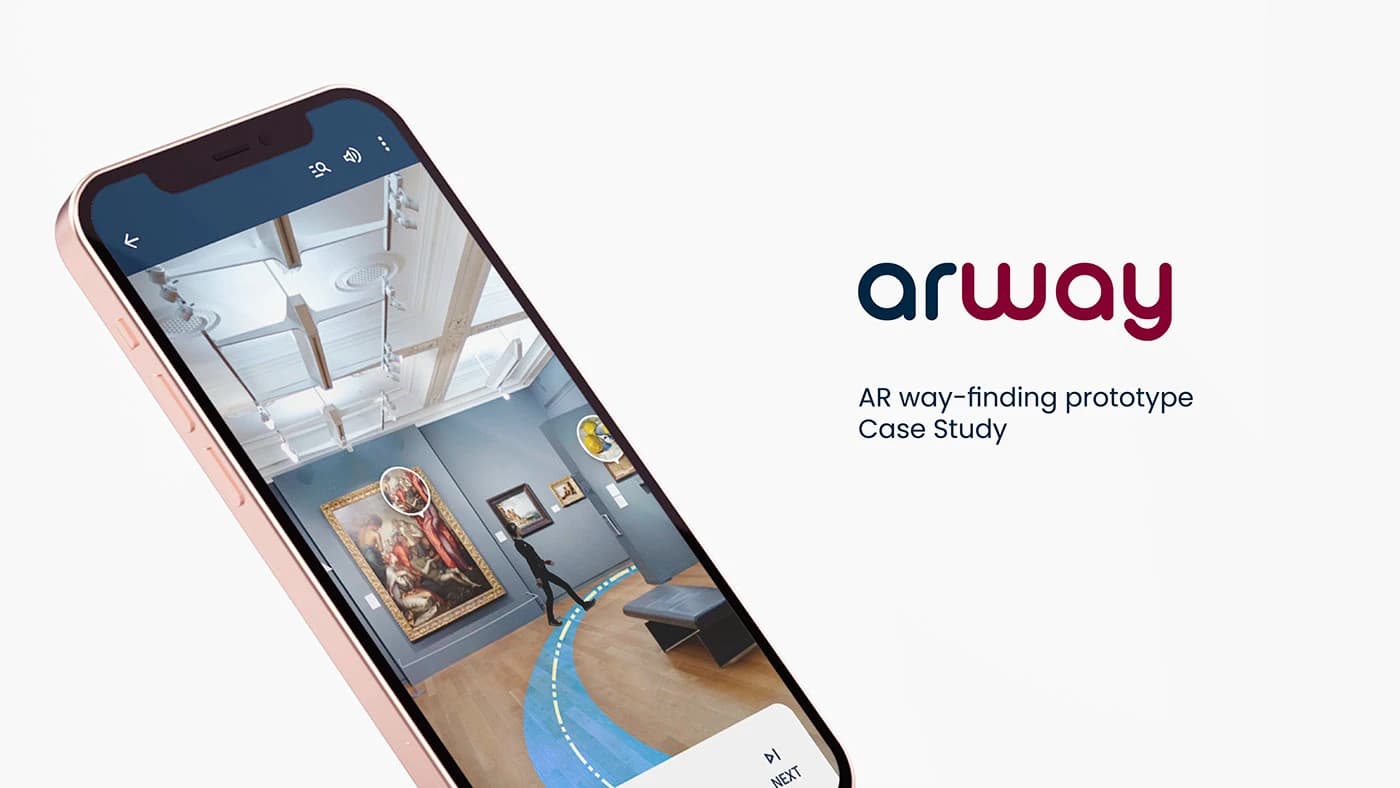
An app that helps users find their way inside an art gallery. An AR character guides visitors through the gallery to their chosen artwork, eliminating the need for costly human guides and confusing maps.
Quick Overview
Designed an AR wayfinding app for art galleries using the Double Diamond framework. From user research and paper wireframes through to a high-fidelity Protopie prototype with animated 3D guide characters, the project tackled indoor navigation through augmented reality.
5
AR Characters
4
Research Phases
3
Prototypes
End-to-End
Scope
Key Outcomes
Overview
Project Overview
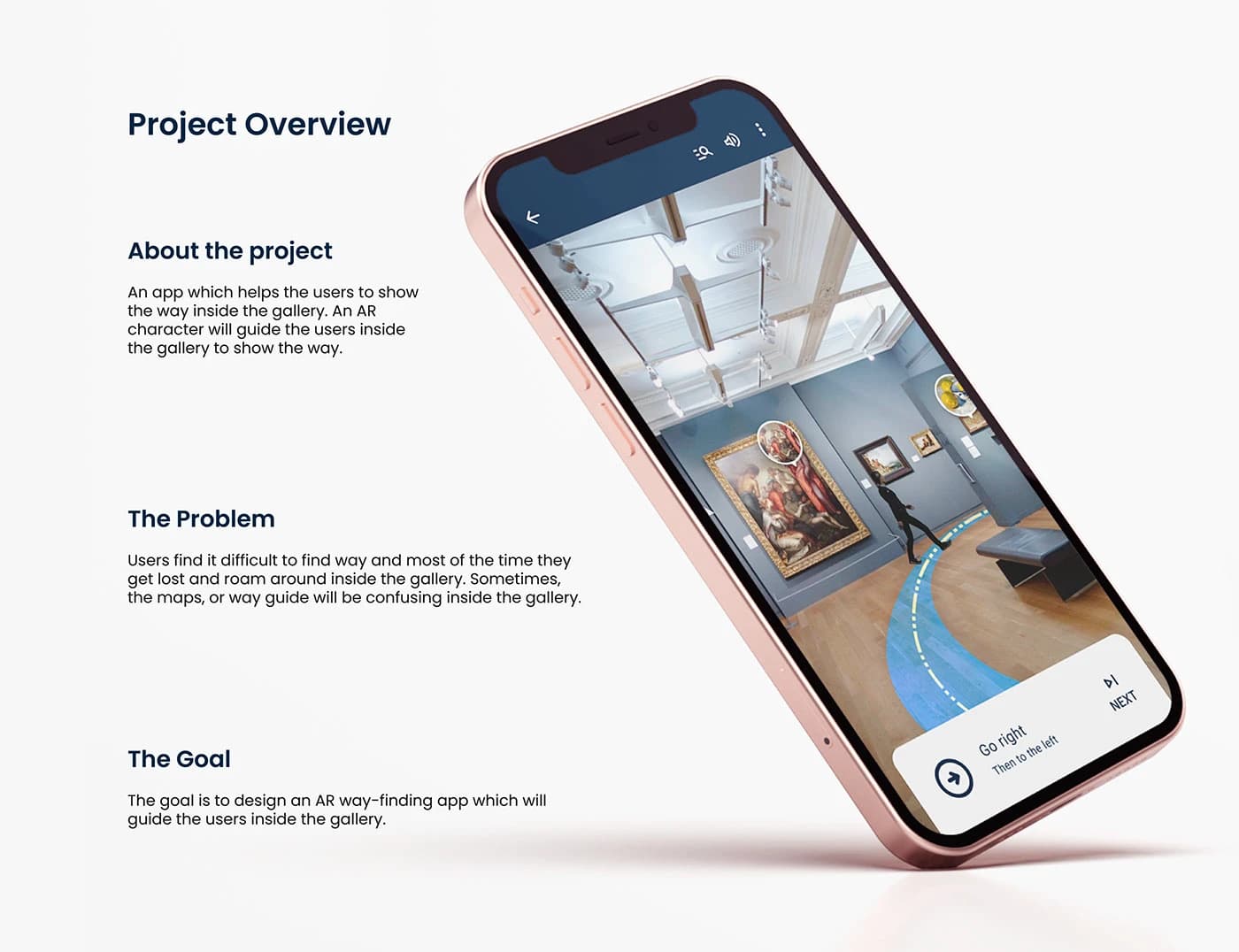
Users find it difficult to navigate inside galleries: they get lost, maps are confusing, and guides are costly or unavailable. The goal was to design an AR wayfinding app that guides users inside the gallery using an animated character on their phone's camera view.
Process
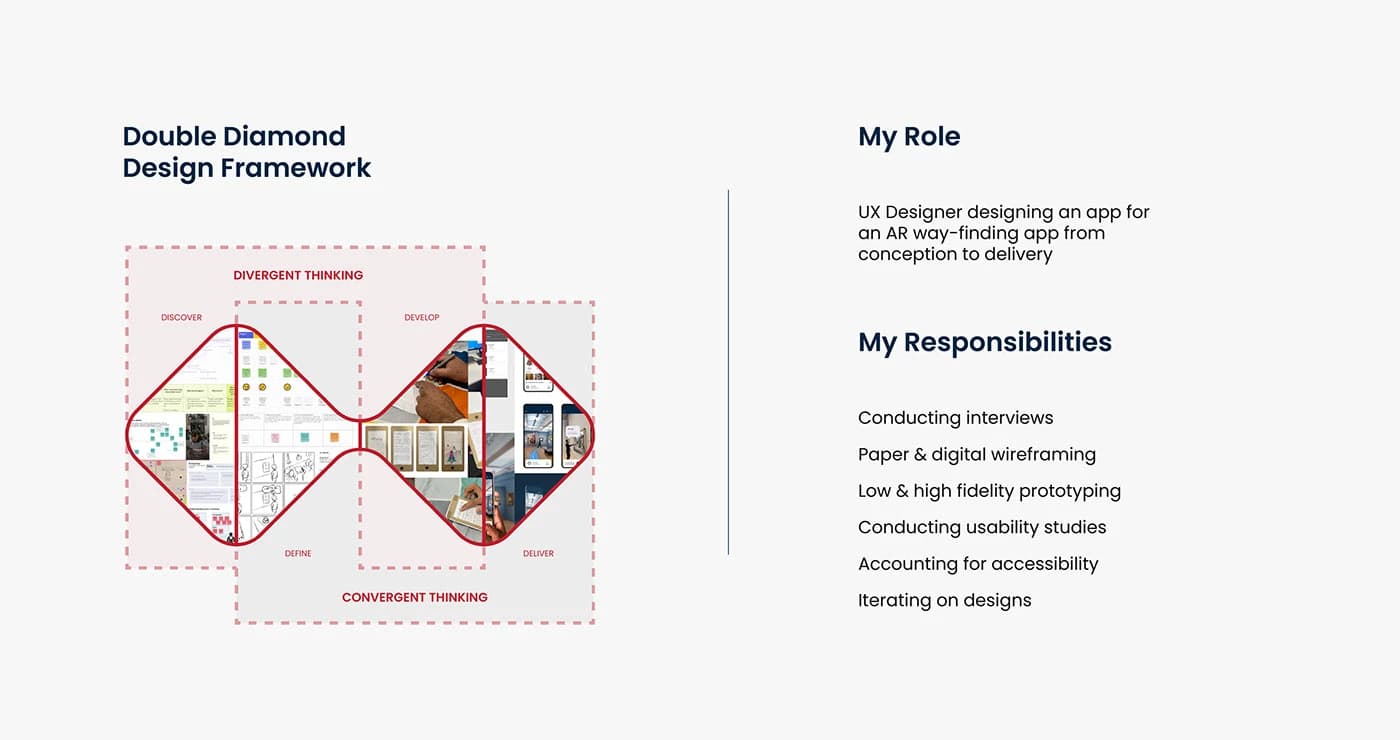
Double Diamond Framework
The project followed the Double Diamond design framework (Discover, Define, Develop, Deliver), moving through divergent and convergent thinking at each stage. My responsibilities included conducting interviews, paper and digital wireframing, low and high-fidelity prototyping, conducting usability studies, accounting for accessibility, and iterating on designs.
Problem
The Challenge
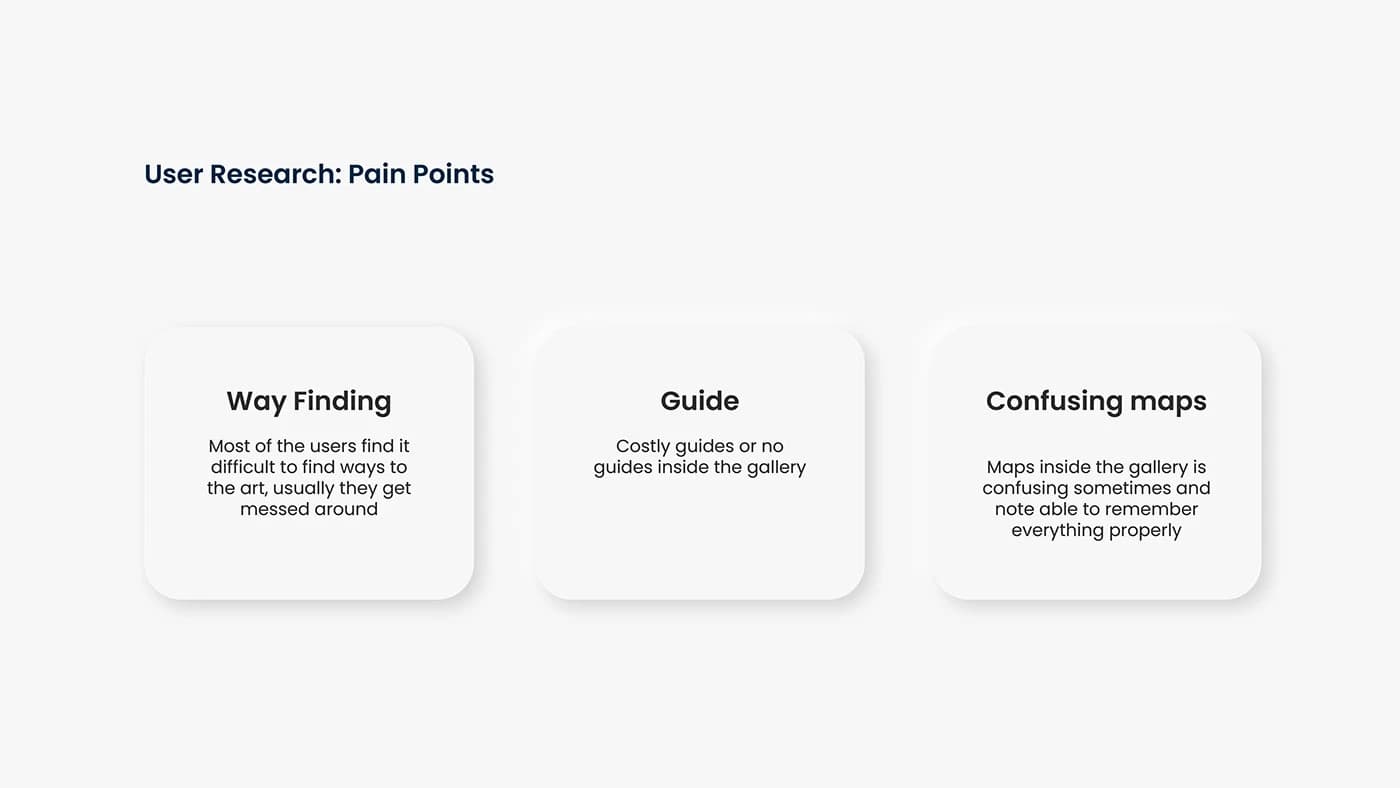
Through user research, three core pain points emerged that shaped the entire design direction.
Wayfinding
Most users find it difficult to find their way to specific artworks. They usually get lost and roam around inside the gallery.
Costly Guides
Guides are not affordable or simply unavailable inside most galleries.
Confusing Maps
Maps inside galleries are confusing and hard to remember, so visitors can't orient themselves in unfamiliar spaces.
Personas
User Personas
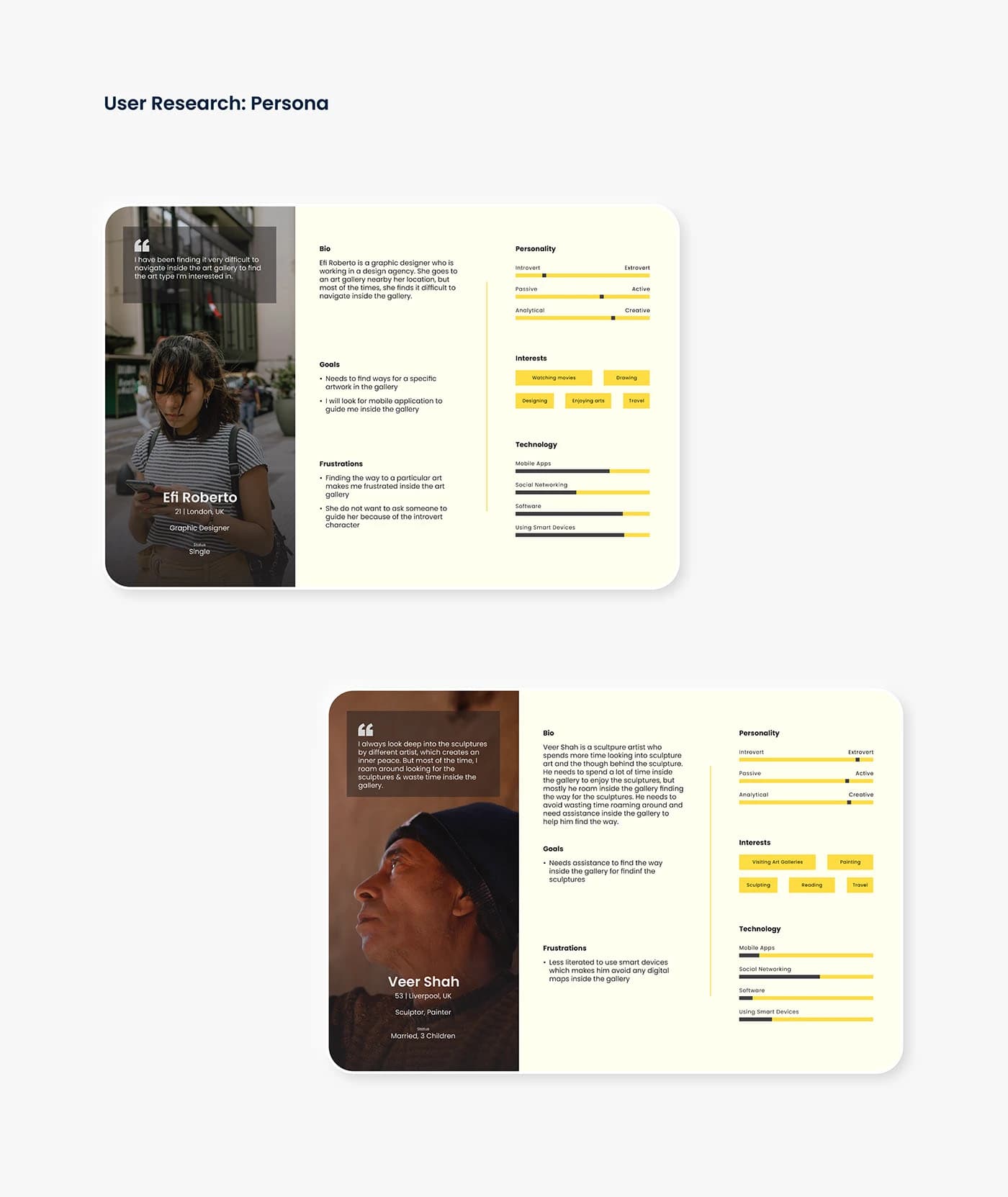
Two personas were developed from the research, representing distinct user types with different relationships to art galleries and technology.
Journey Map
User Journey Map
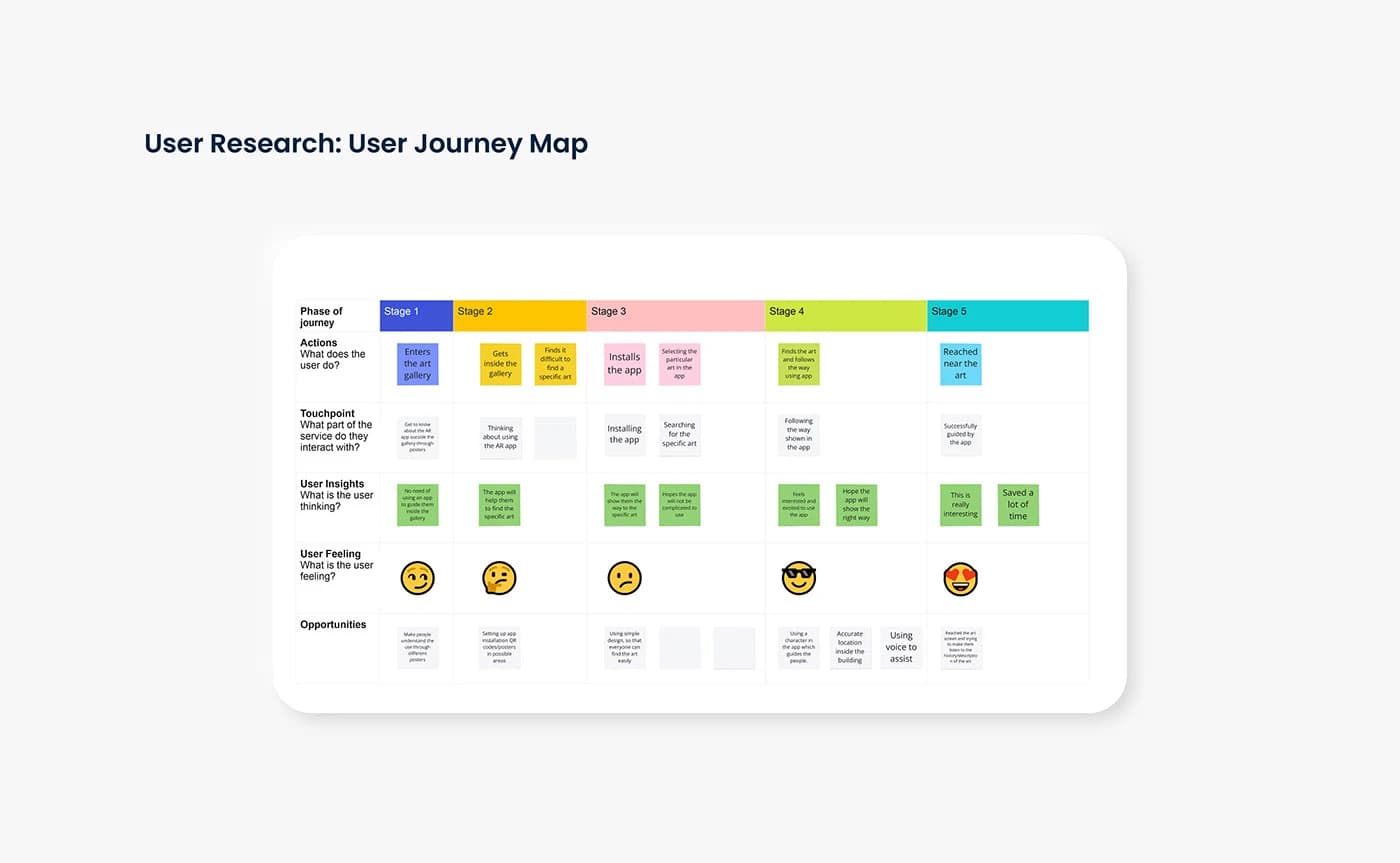
A five-stage journey map traced the user's experience from entering the gallery to reaching their desired artwork, mapping actions, touchpoints, thoughts, feelings, and opportunities at each stage.
Wireframes
Paper Wireframes
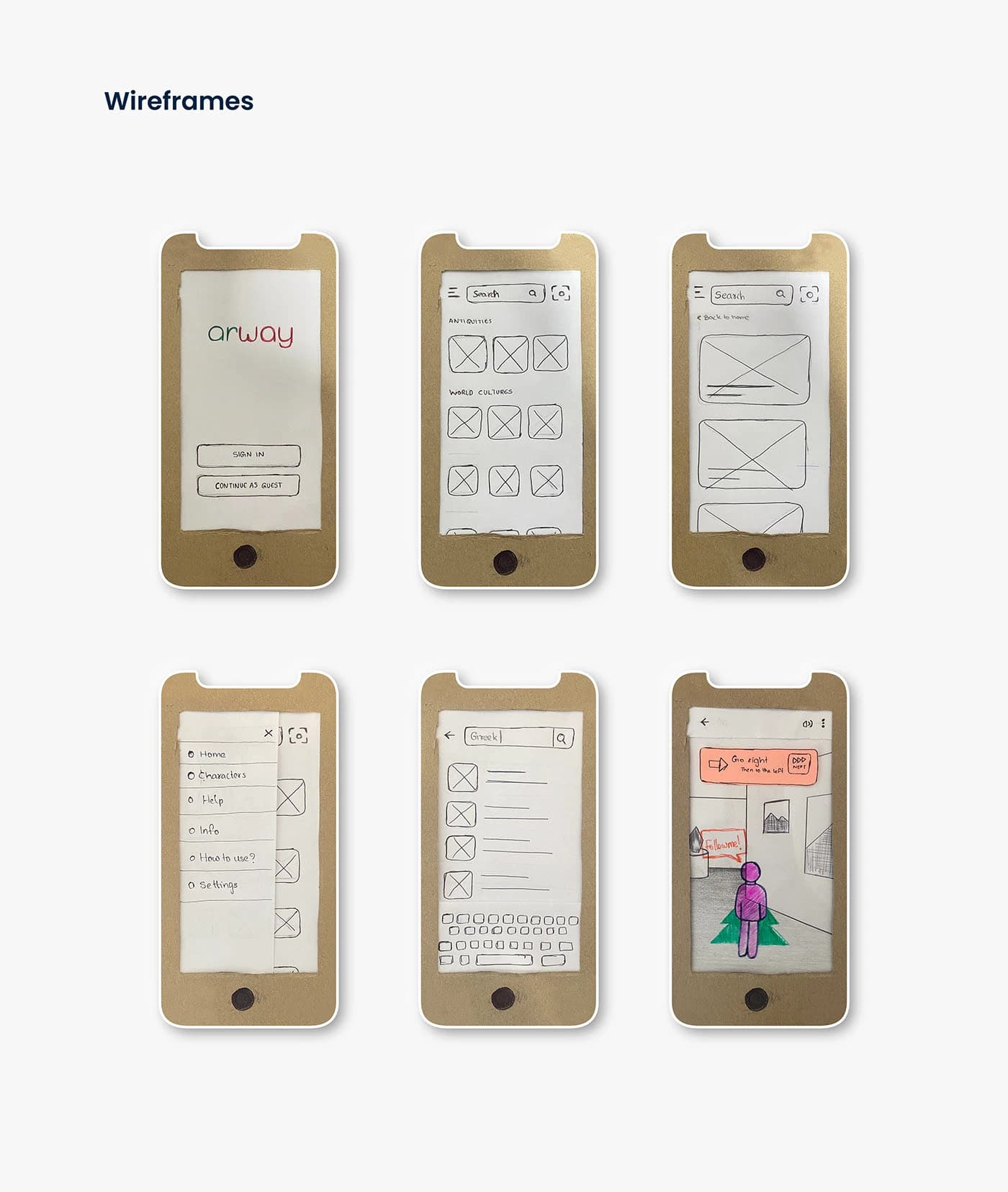
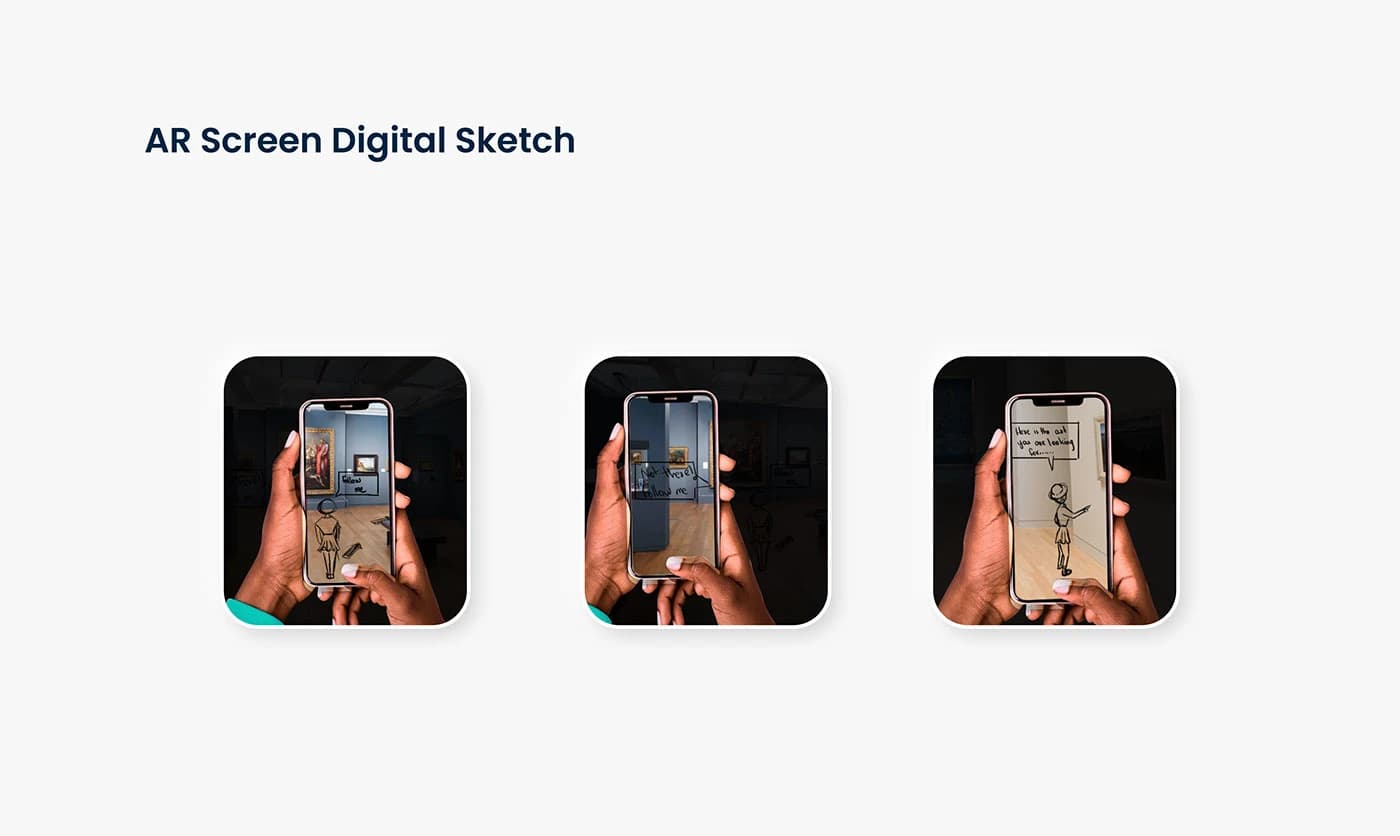
Six paper wireframes were created using cardboard phone cutouts, covering the splash/login screen, art category browsing, search results, side menu, keyboard search, and the AR camera view with the guide character.
Testing
Sketch & Wireframe Testing
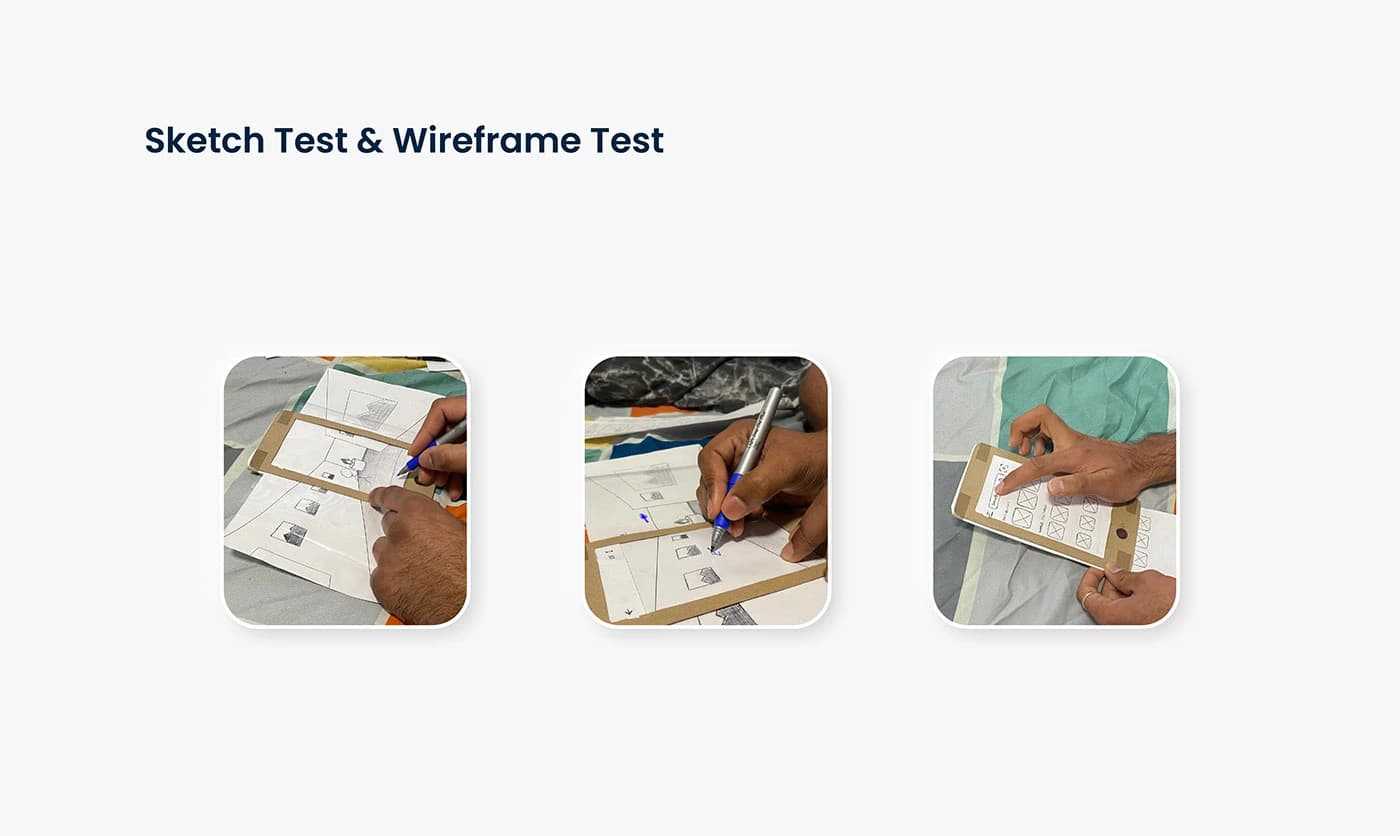
Paper wireframes were tested with users in a controlled environment. Participants interacted with the cardboard prototypes to validate core flows before moving to digital.
Usability
Usability Findings
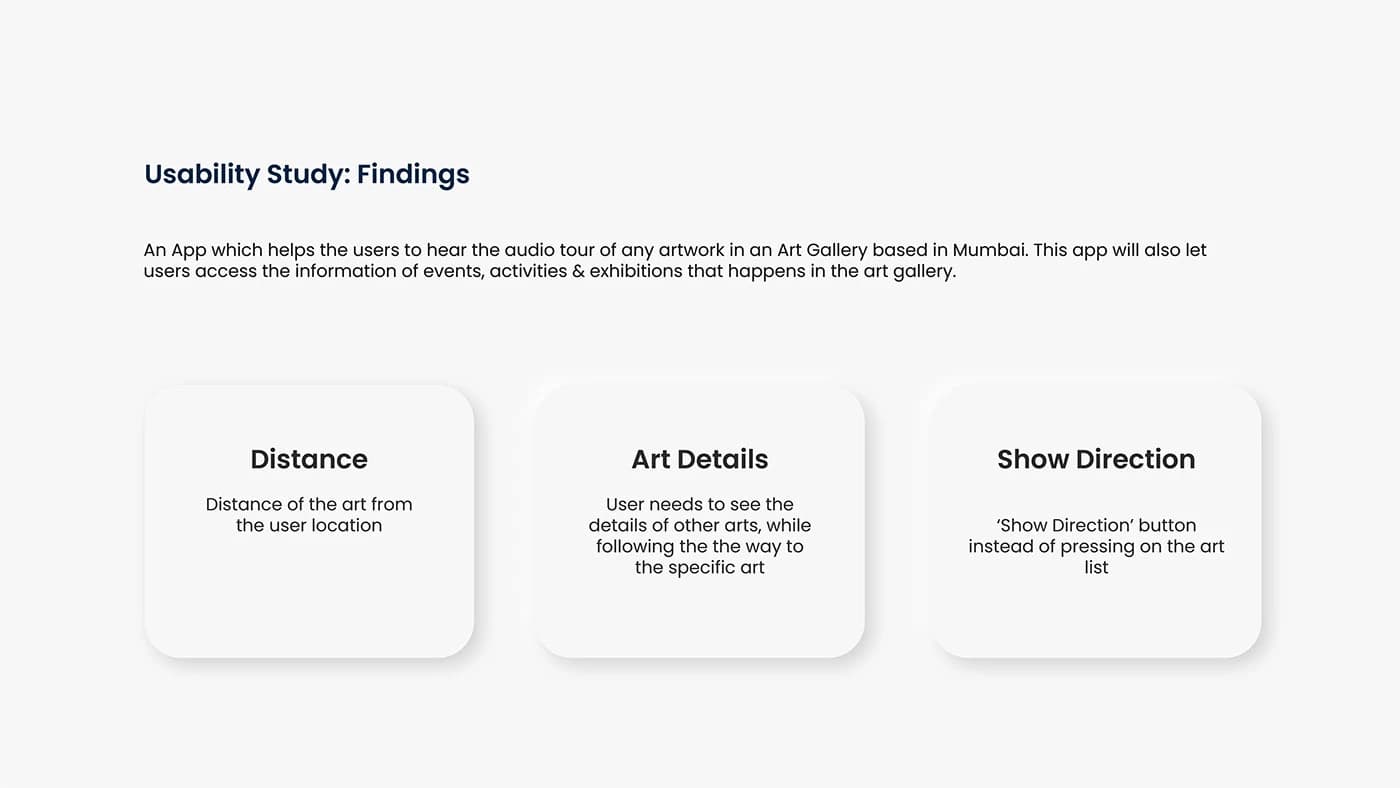
Usability testing revealed three key areas for improvement that shaped the high-fidelity design.
Distance
Users wanted to see the distance of the artwork from their current location before starting navigation.
Art Details
Users needed to see details of other artworks they passed while following the AR path to a specific piece.
Show Direction
Users preferred a dedicated 'Show Direction' button instead of tapping directly on the art list to start navigation.
High Fidelity
High-Fidelity Screens
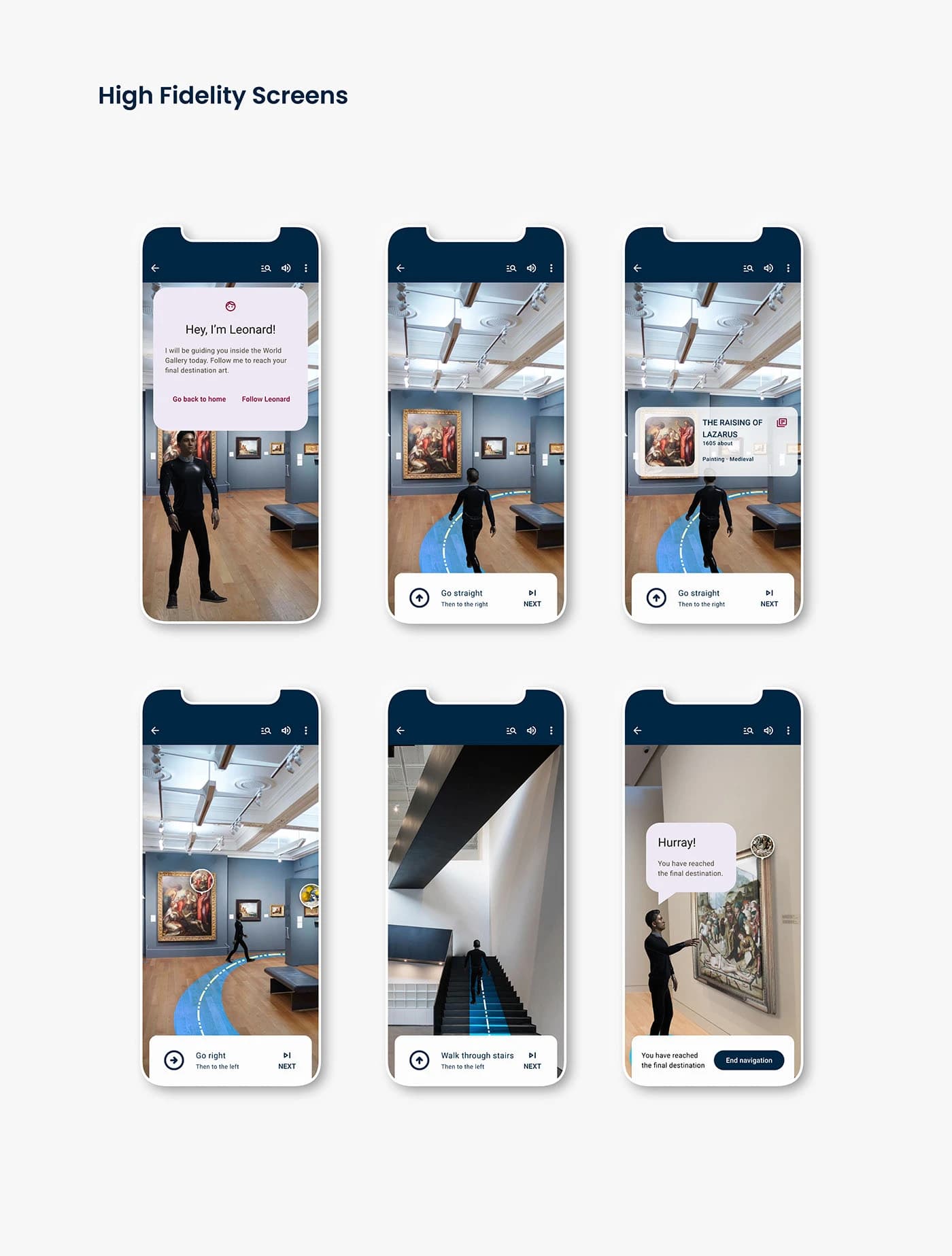
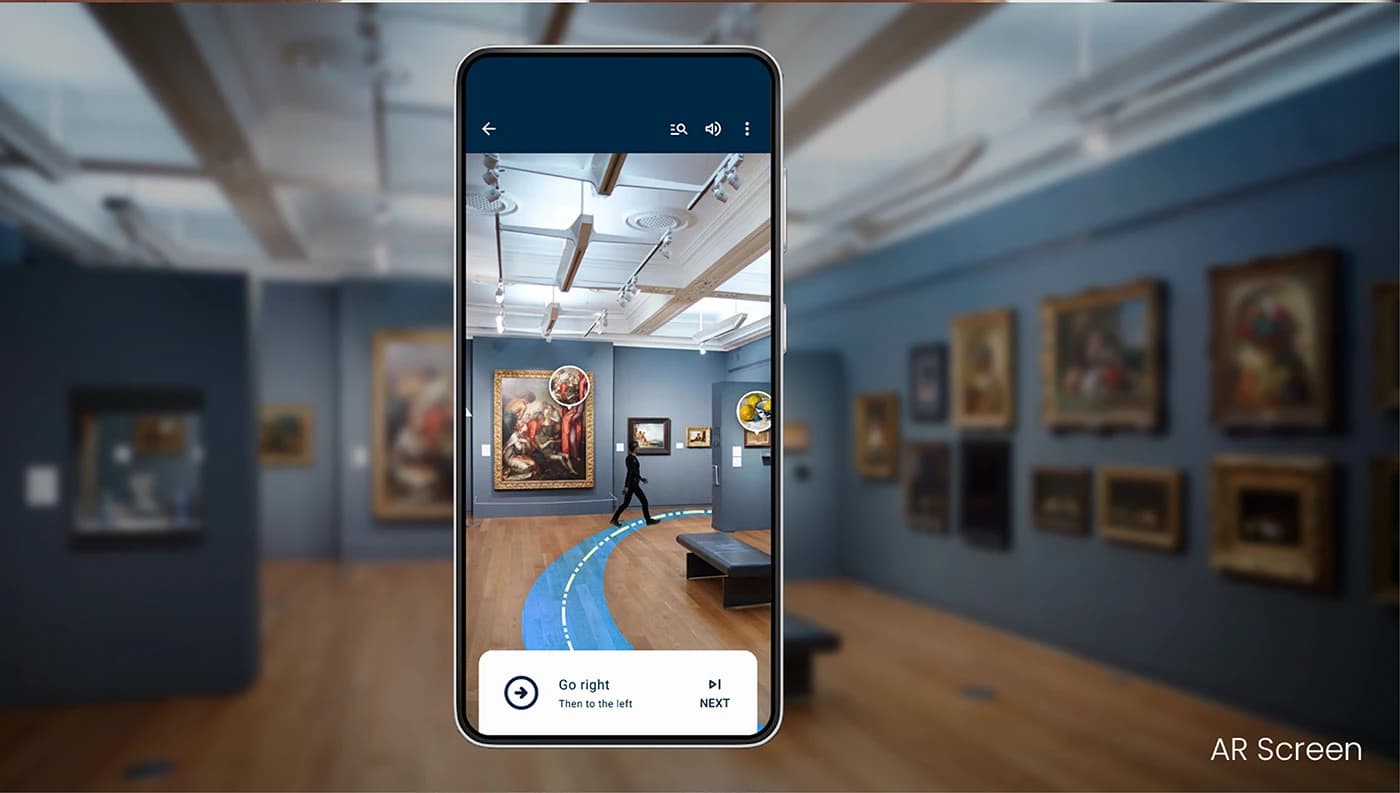
The final high-fidelity prototype brings the AR experience to life. An animated 3D character named Leonard greets the user, then walks ahead through the gallery while a blue AR path and directional text guide the way. The flow covers the full journey, from character introduction to turn-by-turn navigation to a celebration screen when the user reaches their destination.
Art List
Art Collection & Search
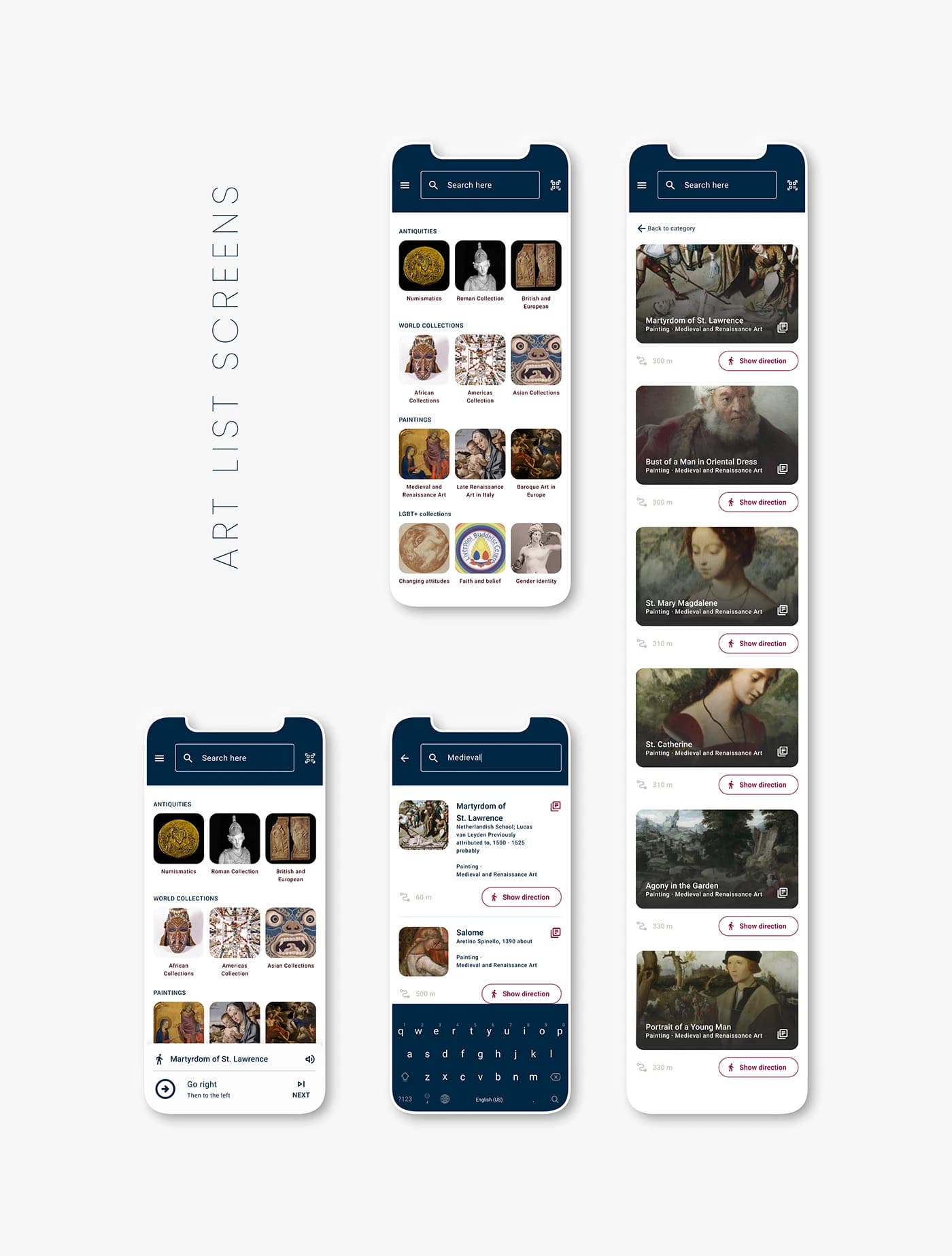
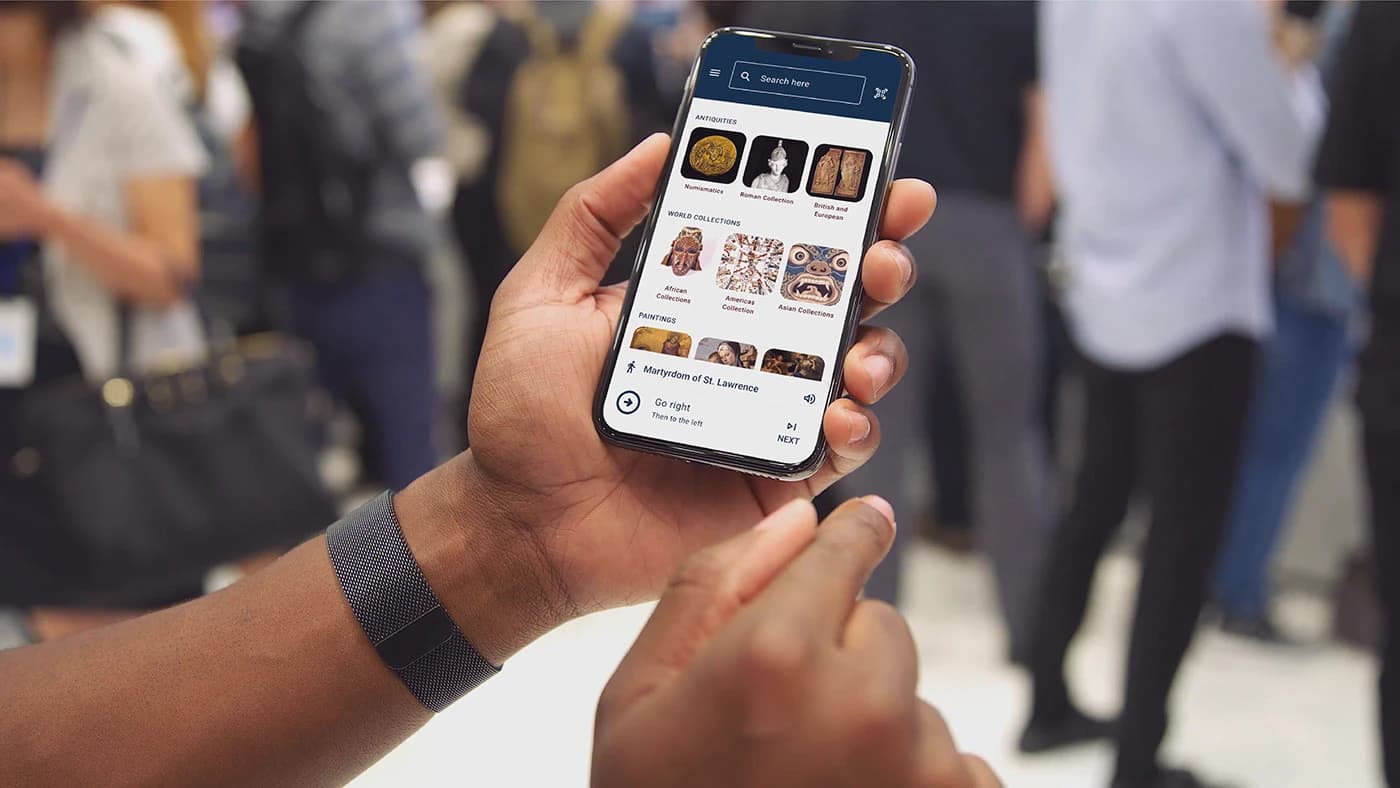
Beyond the AR navigation, the app includes a full art browsing experience. Users can explore collections by category (Antiquities, World Collections, Paintings, LGBT+ Collections), search for specific artworks, and tap 'Show Direction' to start AR navigation to any piece. Each artwork card shows the title, collection, distance, and a quick-action button.
Characters
AR Guide Characters
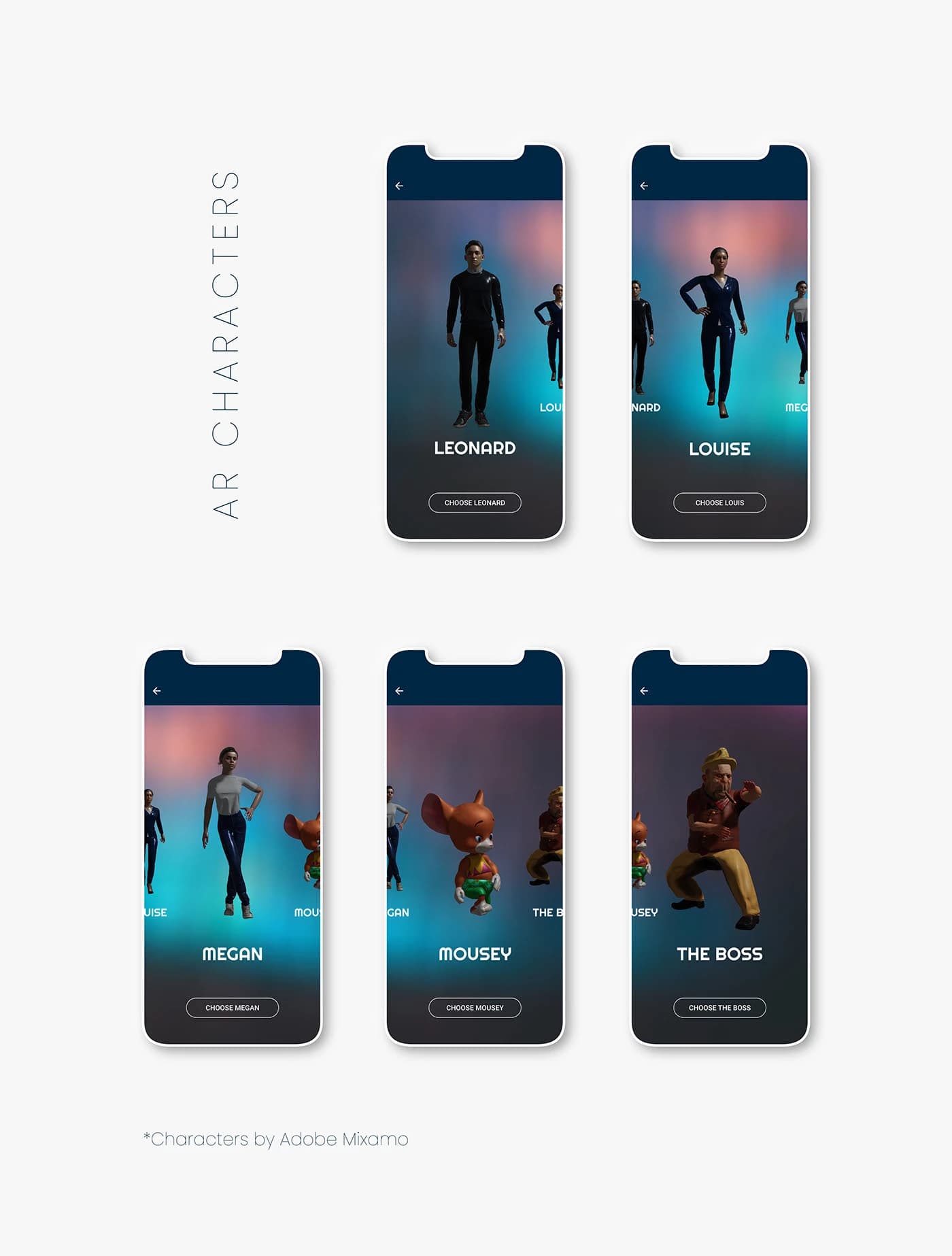
Users can choose from five AR guide characters (Leonard, Louise, Megan, Mousey, and The Boss), each built with Adobe Mixamo. The chosen character appears in the AR view and walks ahead of the user, making navigation feel personal and engaging rather than clinical.
More Screens
Menu, Sign In & Mockups
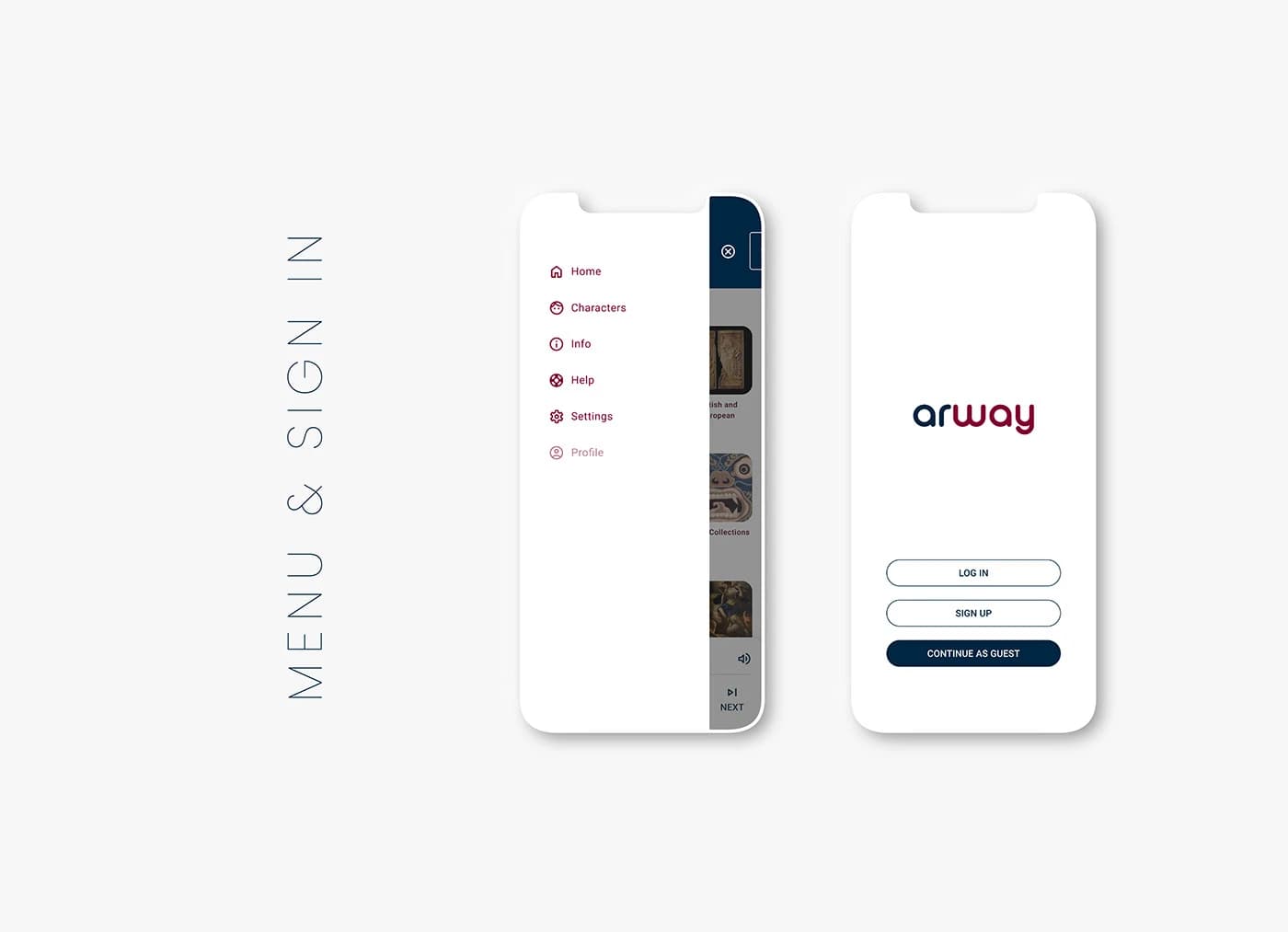
The app includes a clean side menu (Home, Characters, Info, Help, Settings, Profile) and a sign-in flow with Log In, Sign Up, and Continue as Guest options, keeping friction low for first-time gallery visitors.
Accessibility
Accessibility Considerations
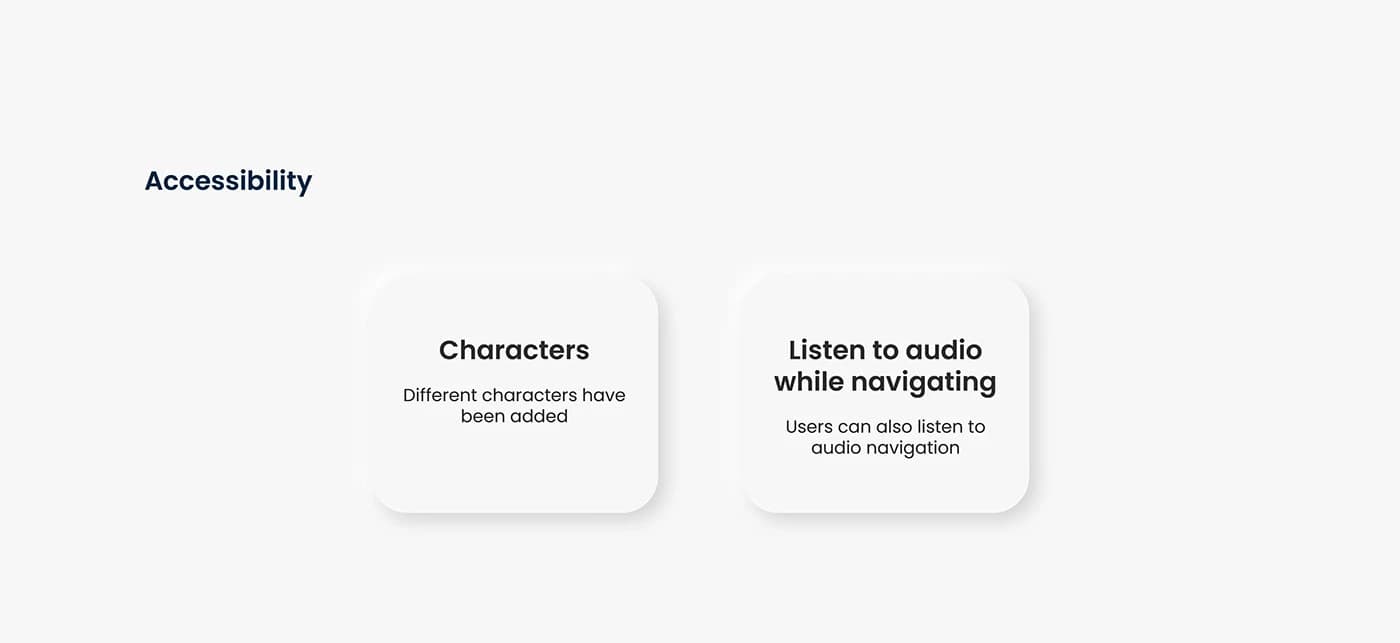
Accessibility was considered throughout the design: selectable AR characters provide visual variety, and audio navigation allows users to listen to directional guidance while moving through the gallery.
Character Selection
Multiple AR guide characters give users agency and make the experience more personal and inclusive.
Audio Navigation
Users can listen to spoken directions while navigating, supporting visitors who prefer audio-based guidance.
Takeaways
Takeaways & Next Steps
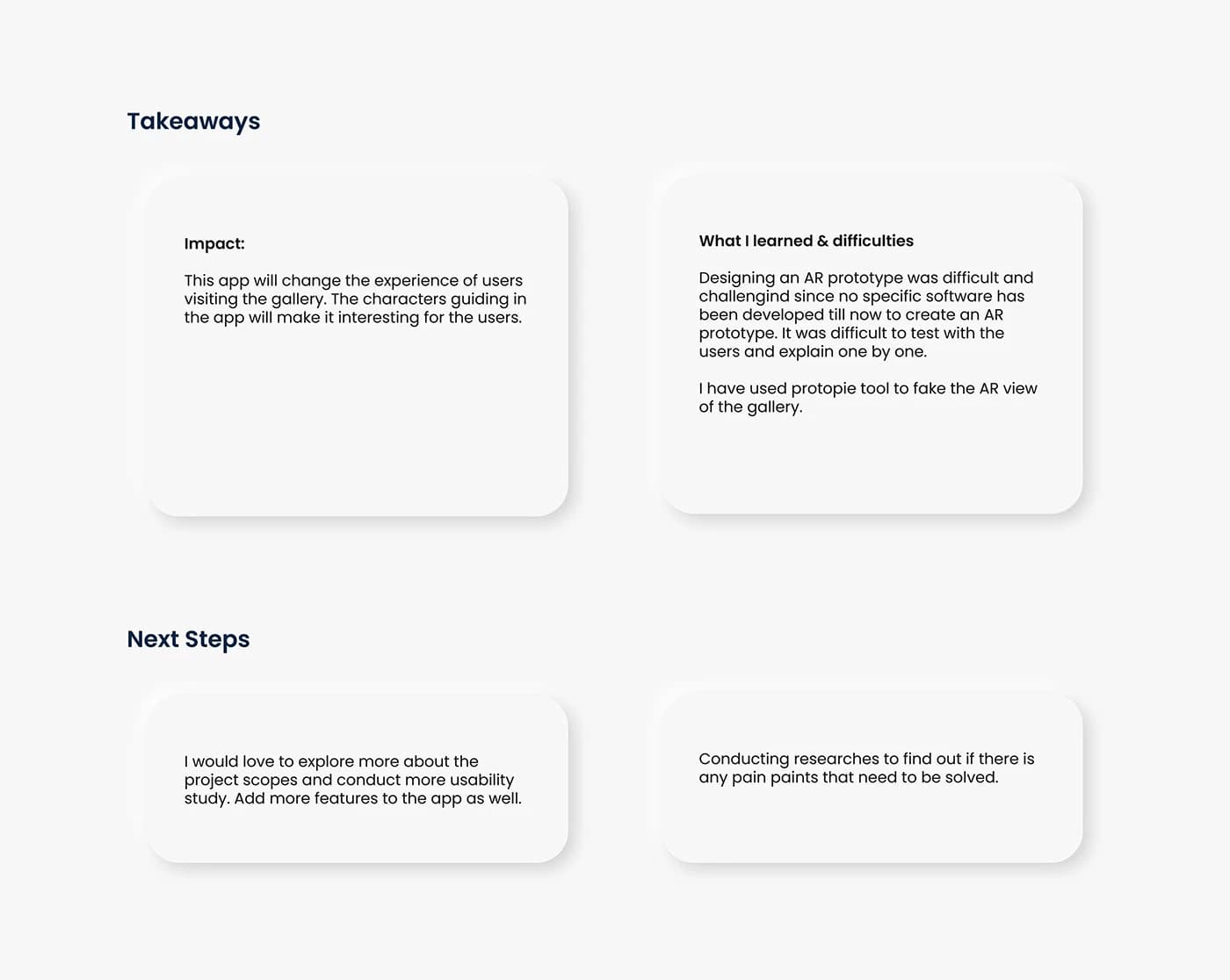
Designing an AR prototype was challenging. I tried the AR tools of the time, Adobe Aero and Apple's Reality Composer, even with characters in the scene. They could place a 3D model in a room, but not guide someone from point to point, so I used Protopie to simulate the AR camera view. Testing with users required explaining the concept individually, which was time-intensive but valuable for gathering genuine reactions.
Impact
The app would change the experience of gallery visitors: the animated characters make navigation engaging and remove the stress of getting lost.
Prototyping Challenge
I tried Adobe Aero and Reality Composer, but they could only place 3D characters in a room, not guide someone through a space. Protopie simulated the AR camera view, a workaround that still validated the concept.
Next Steps
Explore the project scope further, conduct more usability studies, add features, and research additional pain points to solve.
Thank you for exploring this work
Questions about this project, or just want to talk? Get in touch.